
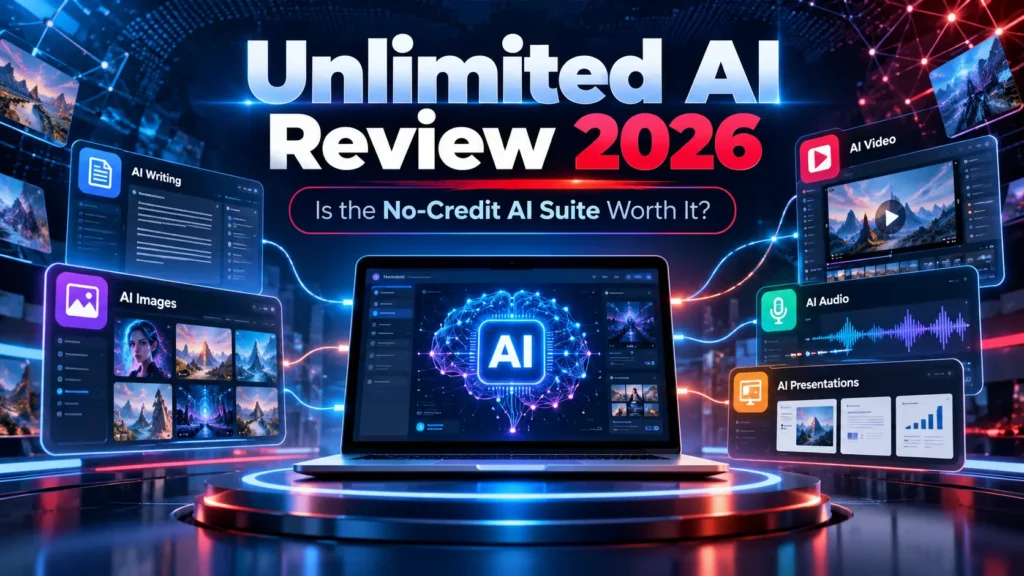
Unlimited AI Review 2026: the main reason this launch is getting attention is simple: it is being sold as a single AI workspace that removes the usual credit anxiety from content creation. Instead of paying separately for writing, images, video, voice, presentation tools and other AI utilities, the pitch is to bring many of those jobs into one browser-based platform.
That sounds attractive, especially for creators who are tired of juggling subscriptions. But “unlimited” is also the kind of word that deserves a closer look. In this review, we focus on what the product is trying to solve, which users are most likely to benefit, what to verify before paying, and how to approach the upgrade funnel without buying more than you need.
Short answer: Unlimited AI looks most interesting for creators, affiliate marketers, freelancers and small agencies that work across several content formats. The front-end price is low enough to make the offer easy to consider, but the smartest approach is to verify the live usage policy and test the workflows you actually need before treating it as a full replacement for specialist AI tools.
How We Evaluated Unlimited AI
For this Unlimited AI Review, we evaluated the offer from a buyer-first perspective: what jobs the platform is designed to handle, how the no-credit positioning could affect everyday use, where practical limits may still appear, and whether the front end could replace part of an existing AI-tool stack.
We also separate marketing language from what a buyer should verify after purchase. AI platforms can change model access, queue rules, fair-use limits and feature availability, so the live account and current terms should take priority over older launch screenshots or promotional summaries.
Our standard is simple: an all-in-one AI tool should save time, provide usable exports, make its limits understandable and reduce the need for unnecessary subscriptions. For a broader framework on evaluating AI systems responsibly, the NIST AI Risk Management Framework is a useful independent reference.
Unlimited AI Review: Quick Buyer Snapshot
| Product | Unlimited AI |
| Creator | Uddhab Pramanik / InSource Apps |
| Launch Price | Listed around $17 during the launch period |
| Format | Cloud-based AI workspace |
| Core Idea | Multiple AI creation tools from one dashboard |
| Best Fit | Creators, marketers, freelancers, small agencies |
| Main Question | How practical the “unlimited” promise is for your own workload |
Unlimited AI Review: Why It Is Different From a Normal AI App
Most AI tools are narrow. One app writes. Another generates images. A third handles video. A fourth gives you voice or music. Unlimited AI is being positioned differently: as a central production hub where several kinds of AI work can happen without constantly changing platforms.
That difference matters because the real cost of an AI stack is not only subscription fees. It is also the time spent learning different interfaces, moving files between apps, rewriting prompts and keeping track of multiple usage limits.
For someone producing only one type of content, a specialist platform may still be the better choice. For someone who regularly turns one idea into an article, image, short video, voiceover and presentation, a broader workspace can be much more convenient.
Unlimited AI Review: Features and Workflows
Current launch material describes multiple AI studios inside one dashboard. The promoted use cases include content creation, visual generation, video, music, voice, ebooks and stories, presentations and related creative tasks.
The feature list is broad, but breadth should not be confused with quality. The better question is whether the platform can handle the specific tasks you repeat every week.
Writing and content production
For marketers and creators, the writing side can support drafts, outlines, promotional content, scripts, idea generation and longer digital assets. The useful part is not simply “AI writing.” It is having writing available in the same workspace where the supporting media can also be created.
Images and visual assets
Visual tools are relevant for thumbnails, social posts, blog graphics, product concepts and promotional material. Buyers who care heavily about design should compare image consistency, prompt control, export quality and generation speed against the dedicated tools they already use.
Video-focused workflows
Video is one of the most attractive categories because separate AI video subscriptions can become expensive. If video is your main reason for buying, verify the current duration, resolution, queue speed, model choices and any fair-use limits before depending on the platform for client deadlines.
Voice, audio and music
Audio tools can be valuable for faceless content, narration, promotional clips and digital products. For commercial work, always check the current license and any restrictions around cloned voices or copyrighted material.
Ebooks, stories and presentations
The broader content tools may appeal to coaches, publishers, affiliate marketers and small businesses that need packaged content rather than one-off text. This is where an all-in-one platform can save the most time, provided the generated files are editable and export cleanly.
Unlimited AI Review: What the “No Credits” Promise Really Means
The headline promise around Unlimited AI is that users should not have to constantly watch a credit meter. Vendor material promotes the platform around no credits, no normal caps, no watermarks and no monthly fee.
That is an appealing value proposition, but AI generation always has a real infrastructure cost. In practical terms, “unlimited” may still exist alongside fair-use rules, queue controls, abuse prevention, model-specific restrictions, temporary throttling or file-size limits.
Before using the platform heavily, check the current terms inside the live account. In particular, verify whether every studio is treated the same way, whether there are different rules for expensive video generations, and whether automated or bulk usage is restricted.
This matters because someone creating ten images per week has a very different definition of “unlimited” from an agency trying to produce hundreds of client assets.
A Better Way to Judge Unlimited AI: Test a Real Workflow
Instead of opening every feature once, test the platform with one complete project. For example, take a product idea and try to produce a blog outline, social image, short promotional video, voice clip and presentation asset from the same dashboard.
If the tool reduces friction across that workflow, then the all-in-one concept is doing its job. If you immediately return to specialist apps for every important step, the value becomes much weaker.
This kind of workflow test also helps you decide whether an optional upgrade is genuinely useful or simply attractive because of launch-page urgency.
Unlimited AI Review: Pricing in 2026
Launch calendars list Unlimited AI at approximately $17 for the front-end offer during its launch window. Promotional pricing can move, so the amount shown at checkout should always be treated as the final price.
At that entry level, the product is priced more like an experiment than a major software commitment. That is one of its strongest advantages. The risk rises only when buyers start adding several optional upgrades without first understanding whether the core product meets their needs.
Unlimited AI OTOs: How to Think About the Funnel
Like many launch-platform products, Unlimited AI uses optional one-time offers to expand the front-end. The exact names and prices can change during a promotion, but the upgrades are generally positioned around higher limits, additional tools, automation, agency use, resale rights or expanded commercial options.
The safest buying strategy is to separate product functionality from business-model upgrades.
Usage or unlimited upgrade
This is the first upgrade worth considering if the front-end places a real limit on the workflow you want to run. Do not buy it only because “unlimited” sounds better. Buy it if you can identify the specific restriction it removes.
Done-for-you assets
Templates and prebuilt materials can save time for beginners. Experienced users may prefer building their own assets and keeping the workflow simpler.
Automation upgrades
Automation is valuable when it removes repeated manual steps. Check exactly what is automated before assuming it will run an entire business for you.
Agency, reseller or white-label rights
These upgrades are relevant only if you plan to manage client accounts, resell access or rebrand the software. They are not required for normal content creation.
Where Unlimited AI Could Save Money
The strongest financial case appears when you currently pay for several smaller tools. A creator might have separate monthly costs for AI writing, image generation, video creation, voiceovers and design. If Unlimited AI replaces even part of that stack, a one-time launch price can be attractive.
However, replacing five tools on paper is not the same as replacing them in real work. Output quality, reliability and control matter. One specialist platform that consistently gives you the exact result you need can be more valuable than ten average tools bundled together.
Who Should Consider Unlimited AI?
- Affiliate marketers who create articles, graphics and promotional assets around multiple campaigns.
- Content creators who regularly move between text, images, video and audio.
- Freelancers who need a broad toolkit without adding several monthly subscriptions.
- Small agencies that want a flexible backup production environment.
- Beginners who prefer learning one dashboard instead of several unrelated apps.
Who May Be Better With Specialist Tools?
Unlimited AI may be less compelling if your work depends on advanced controls in one specific category. A professional video editor, high-end designer, developer or specialist copywriter may prefer deeper software built around that single discipline.
It is also a weaker fit for teams that require enterprise-grade service guarantees, detailed compliance controls or fixed performance commitments.
Unlimited AI Review: Pros and Cons
Pros
- Low front-end entry price during launch.
- Broad set of AI creation workflows in one dashboard.
- Potential to reduce subscription sprawl.
- Useful for people producing multiple content formats.
- Browser-based access keeps setup simple.
- The no-credit positioning directly addresses a common AI-user frustration.
Cons
- The practical meaning of “unlimited” should be verified in the current terms.
- Specialist tools may still provide better control and output quality.
- Optional upgrades can raise the total purchase price quickly.
- Very broad feature sets can vary in quality from one studio to another.
- New launch software still needs to prove long-term stability and support quality.
Questions to Ask Before Buying Unlimited AI
Before purchasing, check these five things:
- Which feature will I use most? If you cannot name it, you may be buying the concept rather than a solution.
- What are the live usage rules? Read the current terms rather than relying only on headline copy.
- What does the front end include? Separate core access from optional upgrades.
- Can I export what I create? This matters for client work and long-term ownership.
- What existing subscription could this replace? That is the clearest way to measure value.
Unlimited AI vs Specialist AI Tools
Alternative multi-model workspace: Our NEURA AI review examines another offer promising access to several model families, with attention to token limits and actual provider access.
A useful way to judge the value in this Unlimited AI Review is to compare one broad workspace with the specialist tools you already use. Dedicated writing, image or video platforms often provide deeper controls and more predictable workflows, while Unlimited AI competes mainly on convenience and the possibility of reducing subscription sprawl.
If the platform can replace two or three smaller subscriptions without lowering the quality of your output, the economics become attractive quickly. If you still return to specialist tools for every important project, then Unlimited AI is better treated as a supplementary toolkit rather than a complete replacement.
For another example of an all-in-one AI workspace, you can also read our ClaudeX 5.5 review and model-access checks. Comparing the two by workflow, limits and total upgrade cost is more useful than comparing feature counts alone.
A practical test is to choose one real project and complete it from start to finish inside Unlimited AI. Track how many steps it handles well, where you have to leave the platform, and whether the final assets are good enough to publish or deliver to a client.
Unlimited AI Review 2026: Final Verdict
This Unlimited AI Review finds the core concept appealing for the current AI market: reduce tool switching, reduce subscription fatigue and let creators handle several production tasks from one place.
The low launch price makes the front end easy to consider, especially for users who currently pay for multiple creative apps. The main caution is that “unlimited” should be judged by real usage conditions, not by marketing language alone.
For most buyers, the best strategy is simple: start with the front end, run a complete real-world project, check output quality and limits, and only then decide whether any OTO solves a problem you actually encountered.
If that workflow succeeds, the conclusion of our Unlimited AI Review is that Unlimited AI could become a useful low-cost hub. If your most important tasks still require specialist software, treat it as a supplementary toolkit rather than a total replacement.
Affiliate disclosure: This article contains affiliate links. AI Review Dock may earn a commission if you purchase through them, at no extra cost to you. Our editorial conclusions are not guaranteed by an affiliate relationship.
Unlimited AI FAQ
What is Unlimited AI?
Unlimited AI is marketed as an all-in-one browser-based AI workspace that combines several creation tools, including text, images, video, audio and other digital content workflows.
How much does Unlimited AI cost?
The launch front end has been listed around $17. Because launch pricing can change, check the live checkout before purchasing.
Is Unlimited AI really unlimited?
The vendor markets the platform around no normal credits or caps. Buyers should still verify the current terms, fair-use rules and feature-specific restrictions inside the live offer.
Do I need every Unlimited AI OTO?
No. Optional upgrades should only be purchased when they solve a clear limitation in your own workflow.
Is Unlimited AI suitable for client work?
Our Unlimited AI Review suggests it may be useful for freelancers and small agencies, but you should verify current commercial-use terms, export rights and reliability before depending on it for paid client delivery.
For more buying guides, visit the AI Review Dock blog or browse the AI Tool Reviews category.