
Affiliate disclosure: This article contains affiliate links. We may earn a commission at no additional cost to you. This is an offer-and-feature analysis, not a claim that we purchased or independently performance-tested the software.
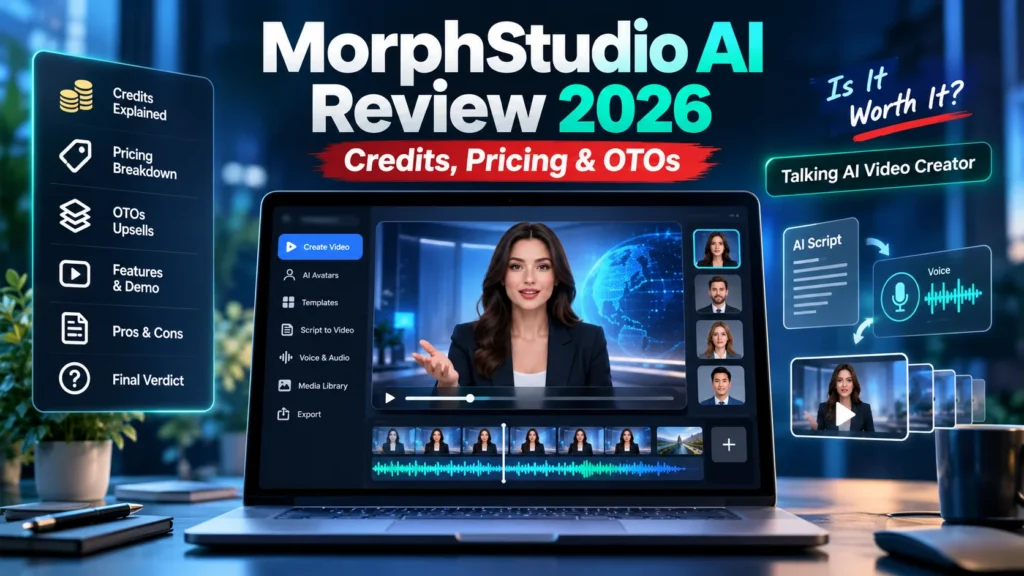
MorphStudio AI Review 2026: if you want short talking-presenter videos without recording yourself, the LogicBeam and IMReviewSquad JVZoo product is worth examining. Its proposed workflow is simple: choose an avatar or upload a permitted portrait, enter a script or audio, choose a voice and render a talking-head video. The central buying questions, however, are how many videos your credits can create, what 720p actually looks like, and whether you need an upgrade for 1080p.
This review is about the September 2026 JVZoo offer MorphStudio AI associated with LogicBeam/IMReviewSquad. It is not the separately operated Morph Studio platform at morphstudio.com. Their subscriptions, credits and model features are not interchangeable.
The standard marketing headline emphasizes quick videos and commercial use. A careful buyer should evaluate the exported videos, license, credit consumption and refund terms rather than treating promotional demos as independent evidence.
MorphStudio AI Review: Quick Buyer Snapshot
| Product | MorphStudio AI (JVZoo offer) |
| Main purpose | Photo or stock avatar to talking-head video |
| Launch | September 26, 2026 |
| Front-end reference price | About $37 one time (verify live checkout) |
| Advertised front-end output | 720p MP4 and short presenter videos |
| Front-end credit reference | 3,000 credits in vendor/partner materials |
| Paid extras | Pro, Creative Suite, avatars, agency features and bundles |
| Best suited to | Short promotional videos, explainer clips, creator and agency experiments |
MorphStudio AI Review: How the Talking Avatar Creator Works
Unlike a general text-to-video platform, this product concentrates on animated presenters. The proposed steps are: choose a suitable image, provide text or voice input, select delivery settings, generate a speaking avatar and download the result. That narrow scope makes the tool easier to judge than a broad “do everything” AI suite. To compare presenter videos with a different video-creation approach, read our Blog2Vid vs MorphStudio AI comparison.
Potential use cases include a product introduction, course welcome clip, narrated explainer, a local-service greeting and a short client advertisement. These are potential workflows, not evidence that every generated result will look natural.
Face animation and speech
The advertised experience includes automated lip movement and facial animation. Realism is crucial here: look for stable facial features, understandable pronunciation, believable eye movement, and sensible pauses. Vendor-chosen examples may look better than average everyday outputs, so test your own sample if a demo is available.
Languages, voices and exports
Published front-end descriptions mention a smaller starter collection of voices and languages, with more voices and wider language availability positioned in Pro. The base offer is commonly described as 720p, while 1080p is associated with Pro. Verify resolution, length restrictions and whether an upgrade changes the underlying animation quality.
MorphStudio AI Review: Pricing, Credits and OTOs
In this MorphStudio AI Review, we compare the advertised front end with Pro and bundle options rather than treating every upgrade as essential. Different sales pages describe the core front end, upgrade funnel and separate bundle checkouts. Those are not necessarily the same purchase. Treat the following as reference prices from public promotional materials, not a guaranteed invoice.
| Tier | Advertised reference |
| Commercial / front end | About $37; core talking-head workflow |
| Pro | About $67; higher resolution, more voices/languages, additional credit allocation |
| Creative Suite | About $67; script and campaign resources |
| DFY avatar collection | About $97; expanded stock-avatar library |
| Agency offering | Separate higher-priced license and delivery resources; amount varies by offer |
| All-Inclusive Bundle | Public JVZoo checkout has shown $317 before conditional coupon or bumps |
Public front-end descriptions refer to 3,000 credits and Pro descriptions to additional credits, but bundle-specific materials have shown different totals. Before buying, ask how many credits one 60-second 720p and 1080p export consume, whether failed generations cost credits, and whether credits expire.
Do not add a Pro, avatar or agency upgrade merely because it appears on the order page. A solo creator might need only a few short clips. Someone selling many client videos should first establish a realistic cost per usable export.
MorphStudio AI Review: Front End vs Pro Pricing
The front end is the logical test if you are making short, low-stakes videos and 720p meets your intended platform’s requirements. Pro may matter if your deliverables require 1080p, longer clips, broader language coverage or a larger generation allowance. Neither version should be purchased before confirming the current cart and credit rules.
To make this MorphStudio AI Review useful for real projects, we recommend a small test before committing to multiple upgrades. For a controlled test, draft one 30-second script, generate two different presenters and record: processing time, credits spent, mouth synchronization, editing effort and number of generations required to reach an acceptable output. Those metrics tell you more than the feature count alone.
MorphStudio AI Review: Commercial Rights and Client Work
If your videos will be posted on YouTube, check the official YouTube guidance on disclosure of AI-generated content. Realistic synthetic footage that makes a person appear to say something they did not actually say may require disclosure. Consent and transparency matter for client-facing avatar videos.
A commercial license is advertised on the core offer, but commercial-use permission is not the same as resale rights or permission to upload another person’s likeness. For client work, request consent for uploaded faces, confirm voice rights, read the permitted-use terms and establish where files are stored. If the agency upgrade advertises client accounts or resale rights, examine those exact conditions separately.
MorphStudio AI Review: Pros and Cons
Potential advantages
- Focused photo-to-presenter workflow instead of a sprawling general AI toolbox.
- Script or audio input may reduce filming and retake effort for simple clips.
- Starter pricing is comparatively approachable for an experiment.
- Commercial license may help creators with permitted client deliverables.
Important limitations
- Credits are finite, and the per-video consumption schedule matters.
- 720p and short-length boundaries may not fit all client requirements.
- Published bundle and upgrade allocations have not always matched.
- High-quality realism, reliable rendering time and uptime require independent testing.
- Unapproved likeness or voice use creates avoidable ethical and legal risks.
Compare the production method: A presenter-style avatar, a scripted AI film and blog-to-video repurposing solve different problems. See our AutoCinema AI review and Blog2Vid review to compare production workflows and confirm export limits before spending credits.
Who Should Consider MorphStudio AI?
Consider it if you need short presenter-style clips and can test a controlled workload before relying on it. Wait if you require long, high-resolution videos, guaranteed output quality or a transparent cost per minute that the seller has not yet confirmed. Businesses with existing studio workflows should compare the actual editing time saved, not just the advertised one-time price.
MorphStudio AI Review 2026: Our Final Verdict
Our MorphStudio AI Review comes down to a simple proposition: the tool aims to convert a permitted photo and script into short talking videos. That makes it potentially useful for marketers who dislike filming. The decision hinges on credit math, real output quality, export limits and the appropriate license. Our recommendation is to treat the front end as a measured pilot, check the live terms, and skip larger bundles until your actual workload justifies them.
MorphStudio AI FAQ
Is MorphStudio AI the same as morphstudio.com?
No. This article discusses the separate 2026 JVZoo talking-head software offer.
Is MorphStudio AI unlimited?
No unlimited-generation entitlement has been independently confirmed here. Promotional material describes credit-based allowances; verify live terms.
Is 1080p included with the basic offer?
Published descriptions position 1080p in the Pro upgrade. Check the current plan before paying.
Do I need every OTO?
No. Select additional products only if their documented features solve a specific need.
Related reading: Compare this focused avatar-video workflow with an all-in-one content platform in our Unlimited AI Review 2026. You can also explore AI Tool Reviews and New AI Launches.