
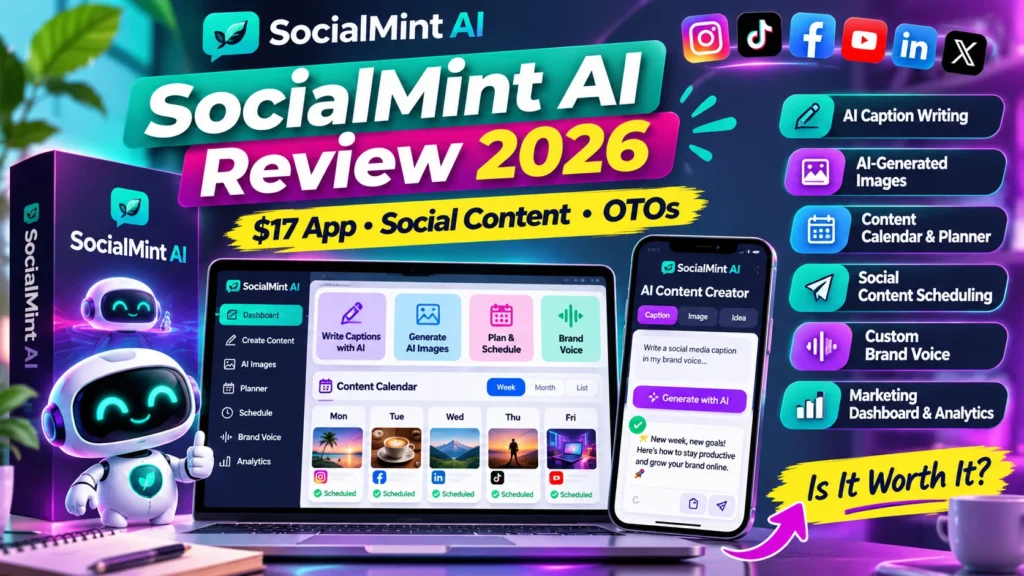
SocialMint AI review 2026 — SocialMint AI is a browser-based content planner for social captions, images and a unified calendar. The vendor says it keeps a brand voice consistent but does not publish posts automatically. It uses the customer’s own AI API key: the one-time software price is separate from usage bills from the AI provider. This independent buyer guide explains the documented launch details and the exact questions worth asking before you pay. We reviewed public vendor and marketplace material on November 10, 2026; we have not bought an account or benchmarked the software ourselves.
Affiliate transparency: This site reviews commercial products and may earn commissions where approved tracking links are used. The four prominent buttons in this article currently go to an official product or partner-information page, not a verified AIReviewDock affiliate referral URL. Product descriptions are vendor claims until independently tested; prices and terms can change.
SocialMint AI review 2026: quick verdict and facts
| Factor | Verified public information |
|---|---|
| Vendor | Annabel Rautenbach / Ankor Business Solutions |
| Marketplace | WarriorPlus |
| Launch / listing | November 10, 2026 |
| Listed pricing | $17 during launch week, then $27 according to the vendor |
| Hands-on test | Not completed — documentation-led review |
| Verdict | Potentially useful for individuals preparing social posts, provided you understand external AI costs and are happy to publish manually. |
The main consideration is whether this offer solves a real problem at a predictable cost. Before choosing a package, distinguish its front-end features from optional upgrades, check license boundaries, and test one small use case. In addition, treat the vendor’s promotional screenshots as demonstrations, not as independently validated results.
What is SocialMint AI and who is it for?
SocialMint AI is a browser-based content planner for social captions, images and a unified calendar. The vendor says it keeps a brand voice consistent but does not publish posts automatically. It uses the customer’s own AI API key: the one-time software price is separate from usage bills from the AI provider.
Potentially useful for individuals preparing social posts, provided you understand external AI costs and are happy to publish manually. It may be relevant to people already working in the described niche, but a buyer should not mistake a strong product concept for confirmed output quality or guaranteed business benefits. In practice, successful use also depends on good inputs, human checking and the terms of connected platforms.
SocialMint AI review 2026: six important features explained
1. Captions built around a brand voice
The promoted app helps prepare social copy in a consistent tone. A brand-voice field cannot guarantee factual accuracy or channel fit; use a short editorial checklist for every published claim.
2. AI image creation
Image creation is offered alongside captions in the vendor pitch. Buyers should check aspect ratios, output resolution, image-provider costs and rights to use branded or third-party elements.
3. One calendar for content planning
The central calendar is useful for organizing drafts and deadlines. Importantly, the seller explicitly says the entry app does not auto-post. You copy or download the material and publish it on each social platform yourself.
4. Bring-your-own-key billing
SocialMint connects to an AI account using the user’s own key. That can avoid paying the software vendor a monthly subscription, but it does not eliminate usage-based costs or key-security obligations.
5. Multi-brand Pro upgrade
The base tier covers one brand. Pro is presented as unlimited brands, motion video and premium templates. Check whether video generation needs additional provider access or incurs extra cost.
6. Agency, packs and reseller tiers
Agency versions introduce client workspaces and exports; Content Packs advertise 365 ready-made posts per niche. Reseller rights are an additional product and should never be assumed in the standard license.
SocialMint AI review 2026: a practical seven-step evaluation workflow
The steps below are a recommended buyer test plan, not a claim that our editors completed them in a paid account. Use the same inputs for a competing tool if you want a fair comparison.
Step 1: Gather trustworthy brand examples
Choose a small set of real products and four recent approved captions that represent the business. Define banned claims, preferred vocabulary and the intended audience.
Step 2: Connect a restricted provider key
Use a dedicated key with billing limits where supported. Keep it out of screenshots, shared files and client-facing screens, and test that the key can be revoked.
Step 3: Build a week of draft topics
Plan three educational posts, one product update and a human story. A calendar becomes useful when topics are balanced, not when it fills all empty slots with repetitive promotion.
Step 4: Generate caption variants
Request a short and a long caption for each topic. Inspect pricing, product facts, emojis, hashtags, spelling and tone before selecting the better version.
Step 5: Create visuals and check rights
Compare proposed images against actual product photography. An invented label or inaccurate representation is not suitable for a real business advertisement.
Step 6: Place approved drafts in the calendar
Give each item a channel, owner and date. Confirm which fields are saved and whether unfinished drafts persist after logout.
Step 7: Publish manually and measure results
Copy or download the final content, post within the platform and collect genuine engagement metrics. The software is not described as a scheduling/publishing robot.
SocialMint AI review 2026: pricing, upgrades and actual cost
The published price information is $17 during launch week, then $27 according to the vendor. Always differentiate a time-limited launch figure from your live checkout total. Optional upsells are useful only if they unlock something you genuinely need. Furthermore, some products have separate provider/API charges, different license types or recurring plans that a simple front-end figure does not describe.
| Plan or offer | Price shown | Buying implication |
|---|---|---|
| Front end | $17 launch week; $27 later | One brand, captions, images and calendar; separate AI API billing |
| Pro (OTO 1) | $47 | Vendor lists unlimited brands, motion video and premium templates |
| Pro Lite downsell | $27 | Five brands and premium templates |
| Agency Elite (OTO 2) | $147 | Combined agency, Content Packs and reseller features; skips later OTOs |
| Agency downsell | $97 | Up to 50 client workspaces, white-label exports and client license |
| Agency Lite downsell | $57 | Up to 10 client workspaces |
| Content Packs (OTO 3) | $37 | 365 prepared social posts per niche, subject to editing |
| Reseller license (OTO 4) | $97 | Separate reseller rights, distinct from client usage |
| Launch bundle | $187 | Vendor’s bundled offer; confirm contents and the closing date |
For a realistic comparison, write down the cost of the base product, the specific upgrade you need, recurring services, taxes and any external tools. Then estimate the cost of one usable outcome rather than the number of prompts, leads, drafts or missions advertised. If the documentation omits an important limit, ask the seller before purchasing.
SocialMint AI review 2026: advantages and drawbacks
| Potential advantages | Risks / limitations |
|---|---|
| Clear vendor statement that auto-posting is not included | API use can create variable ongoing costs |
| Published OTO table makes buyer budgeting easier | A single brand at the entry tier limits some freelancers |
| Calendar combines preparation and draft review | No hands-on export or content-quality test completed here |
| BYO-key model can suit people already paying an AI provider | 365 ready-made posts require substantial originality and fact review |
These are decision factors, not a substitute for an independent quality benchmark. For example, the presence of an export button doesn’t prove that the exported file is correct, licensed or suitable for your market. On the other hand, a reasonable starter plan can be valuable when its limitations match the task you need done.
SocialMint AI review 2026: 9 essential checks before buying
1. Manual versus automatic posting
Avoid paying for a workflow you expect to publish for you. Verify that you are comfortable copying and uploading drafts manually. Keep a written record of the answer and confirm any promise in the current checkout terms rather than relying only on a launch graphic.
2. AI API usage and cost
Estimate the monthly number of captions and images and ask which providers/models the application supports. Keep a written record of the answer and confirm any promise in the current checkout terms rather than relying only on a launch graphic.
3. Key security
Confirm key encryption, usage monitoring, rotation and deletion before connecting an account. Keep a written record of the answer and confirm any promise in the current checkout terms rather than relying only on a launch graphic.
4. Brand-voice consistency
Test ten captions against existing approved marketing; count tone and factual errors rather than accepting polished text as proof. Keep a written record of the answer and confirm any promise in the current checkout terms rather than relying only on a launch graphic.
5. Image licensing
Review permissions and the provider’s rights for generated visuals, product trademarks and faces. Keep a written record of the answer and confirm any promise in the current checkout terms rather than relying only on a launch graphic.
6. Client-space separation
For agency work, confirm individual workspace permissions and whether clients can see one another’s materials. Keep a written record of the answer and confirm any promise in the current checkout terms rather than relying only on a launch graphic.
7. Calendar export
Test whether a year’s drafts can be exported, backed up and moved to another tool. Keep a written record of the answer and confirm any promise in the current checkout terms rather than relying only on a launch graphic.
8. Upgrade logic
Do not buy Pro Lite, Pro and Agency simultaneously; examine which upgrades are alternatives in the funnel. Keep a written record of the answer and confirm any promise in the current checkout terms rather than relying only on a launch graphic.
9. Refund, terms and support
Check the 30-day refund window, manually approved affiliate program and support address on the current vendor page. Keep a written record of the answer and confirm any promise in the current checkout terms rather than relying only on a launch graphic.
Is SocialMint AI better than an alternative?
The right comparison is the same real task, performed at similar quality, with all costs counted. For research tools, compare accuracy and source traceability; for marketing software, compare editorial review and platform compliance; for licensed digital content, compare rights and customization time. A free or existing workflow may already meet your needs.
On AIReviewDock.online, see ReferralNow marketing review and Lead AI review. These cover adjacent products and offer different buying considerations; neither comparison implies identical features or interchangeable licenses.
For educational context on our separate .com site, read AI video-ad creation guide and AI tool privacy checklist. The educational site is independent from this affiliate-focused review and is not a substitute for vendor documentation.
SocialMint AI review 2026: frequently asked questions
Does SocialMint AI post automatically?
No. Its vendor specifically states that the app prepares captions and assets for the buyer to copy or download and publish manually.
Is SocialMint AI $17 lifetime?
The vendor advertises a $17 launch-week front-end followed by $27, but using your own AI provider may involve continuing usage charges.
How many brands are included?
The front end describes one brand. Pro and Agency options expand brands or client workspaces at separate prices.
Does SocialMint AI guarantee followers?
No. The vendor’s own promotion rules prohibit claims of guaranteed followers, sales or income.
What does the agency license cover?
The advertised Agency tier includes client workspaces and white-label exports; review its contract for exact client usage and transfer rights.
SocialMint AI review 2026: final buyer verdict
For a solo creator who wants a structured place to prepare posts, SocialMint AI has a clear, limited job. The important trade-off is that publishing stays manual and AI-provider charges remain yours. Buy only after confirming that the real workflow reduces planning time and that you can control the API billing.
Our editorial standard is to separate verified public information, promotional promises and independently tested results. This product has not received a purchased-account benchmark from us. Before a commitment, confirm a live checkout, review the actual license, test the smallest suitable task and keep control of any important account or personal data.
Sources and methodology
Public information checked on November 10, 2026: official vendor / launch details and MunchEye SocialMint AI launch listing. Prices and upgrade contents may change after launch; affiliate commission status is not confirmed for this publisher.