
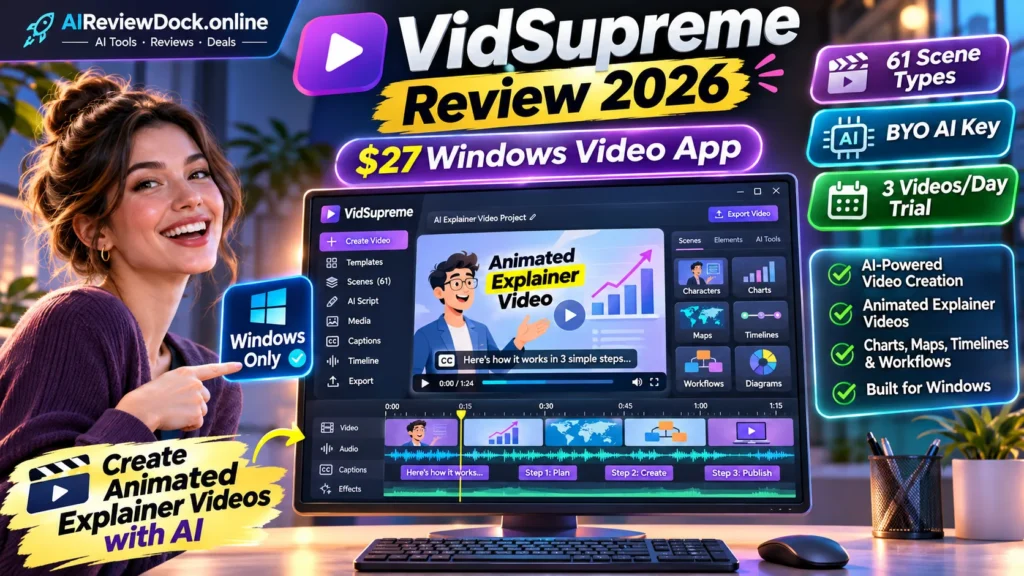
VidSupreme review 2026 — VidSupreme is a Windows desktop video-production application aimed at creators who need animated explainers rather than photorealistic films. Its vendor says it converts topics or prepared scripts into chart, table, timeline, map, and flow-based scenes with narration and captions, rendered on the user’s own PC. The launch is notable for a $27 entry price, a bring-your-own AI key model, and a limited three-video-per-day trial. This review focuses on what those promises mean for a buyer, where extra spending arises, and how to verify output before using it professionally.
Editorial disclosure: This is a source-based review of publicly described features, checked November 11, 2026. We have not purchased or benchmarked the software. AIReviewDock.online may earn a commission when an approved affiliate link is added; the four CTA buttons below currently point to public product information, not a verified commission-tracking URL.
VidSupreme review 2026: quick facts and verdict
| Factor | Published information |
|---|---|
| Seller | Giang Pham / PhamStud |
| Marketplace | WarriorPlus and JVZoo partner listings |
| Launch price | $27 launch entry, reportedly rising to $47 after November 16 |
| Review approach | Vendor documentation plus an independent buyer checklist |
| Bottom line | VidSupreme is worth evaluating for educators and faceless-video creators who specifically want animated explainers, not cinematic AI actors. Start with the trial, verify your Windows setup and measure a real exported minute of video. Its actual value depends on quality and API spending more than the low launch price. |
- Windows application; not a browser-only SaaS or a Mac app.
- 61 animated scene types and a vendor-described library of 336 icons and emoji.
- Free trial: up to 3 videos per day, one-minute output limit and watermark.
- Base license: $27 during launch; vendor advertises $47 later.
- No recurring VidSupreme subscription advertised, but an external AI provider key is required.
- Vendor estimates external AI processing near $0.16–$0.33 per completed minute; actual API cost may vary.
- Launch partner terms describe a 14-day refund and separately sold upgrades.
What is VidSupreme and what can you actually make?
VidSupreme is a Windows desktop video-production application aimed at creators who need animated explainers rather than photorealistic films. Its vendor says it converts topics or prepared scripts into chart, table, timeline, map, and flow-based scenes with narration and captions, rendered on the user’s own PC. The launch is notable for a $27 entry price, a bring-your-own AI key model, and a limited three-video-per-day trial. This review focuses on what those promises mean for a buyer, where extra spending arises, and how to verify output before using it professionally.
The most useful question is not whether the demonstration looks professional. Instead, define one real task and compare your finished export against the promised result. A buyer should understand hardware, licenses, external services and usage limits before deciding that the advertised front-end price tells the full story.
VidSupreme review 2026: seven notable features explained
1. Windows-based video rendering
The vendor specifically says that the application renders videos on the customer’s computer. This is different from an online clip service that queues all work in the cloud. Before purchasing, confirm your Windows version, hardware requirements, installation process and how large projects affect memory and CPU usage. The vendor also notes an unsigned installer may trigger an unknown-publisher warning; independently verify the download origin.
2. Animated explainers with charts and maps
The appeal is structured information. Rather than stitching generic stock footage, VidSupreme is advertised to draw animated statistics, maps, tables, mind maps, timelines and process flows. That can suit classroom lessons, technology tutorials and business explainers. The real test is whether labels, units, coordinates and chart proportions are correct after the generated animation is exported.
3. 61 scene styles and visual assets
The public JV page names 61 animated scene types and 336 icons and emoji. A selection of scenes provides variety, but more scene types are not automatically better storytelling. Check whether the scenes transition smoothly, keep consistent colors and allow changes to the visual hierarchy. A small project with five coherent scenes beats a long presentation of unrelated effects.
4. AI narration, captions and soundtrack
Voice and subtitle features appear in launch material, but pronunciation and timing still require careful checking. Test proper nouns, percentages and abbreviations. The script should remain your source of truth. Music licensing and soundtrack provenance deserve attention if a client intends to monetize or advertise the finished explainer.
5. Bring-your-own AI key rather than included tokens
The vendor says the app uses an external AI key, with OpenRouter named in its balance-check description. This can help users see usage costs directly, but it also introduces API billing, key safety and provider availability. A one-time purchase does not mean unlimited free generation. Use a restricted key and enable provider-side usage alerts where available.
6. Three-video daily trial
The free trial lets a creator experiment before buying. Its stated restrictions are a watermark, a one-minute cap and three videos each day. Use this to test a representative prompt, actual export and voice. A trial is most valuable when it reveals failure cases, not when it merely plays the vendor’s polished demo.
7. Optional upgrades and agency workflow
The launch funnel mentions Fast Pass, Pro, YouTube Pack, Batch and Shorts, Niche Packs and Agency. Exact purchase prices for those individual upgrades were not independently available in the source checked. Buyers should ask which workflow each one changes, whether commercial/client usage is in the core license and whether a bundle adds genuine value.
VidSupreme review 2026: seven-step practical evaluation
The following method is an evaluation plan, not a fabricated hands-on test. Use your own authorized assets, maintain a list of requirements and review every output before it is sent to a customer or published.
Step 1: Prepare a fact-checked short script
Start with a 60-second explainer about one topic such as a recycling process or monthly store sales. Use accurate figures and identify which values must remain unchanged. A model that invents a statistic is a bigger problem than a slightly awkward transition.
Step 2: Confirm installation and key permissions
Install only from the vendor’s verified download page. Review the unsigned-installer notice, security prompts and any requested folder or network permissions. Create a separate AI-provider API key when possible so it can be revoked without affecting unrelated tools.
Step 3: Choose appropriate visual scene types
Match a bar chart to numerical comparison, a timeline to sequence, a route map to location and a mind map to relationships. Avoid a map merely as decoration; location-based information must remain geographically accurate.
Step 4: Generate a short draft and check meaning
Watch the first version with sound off. Ensure the visual alone communicates the process, then review voiceover and subtitles. Count how many corrections are needed and whether one change unexpectedly alters other scenes.
Step 5: Inspect exported video on multiple screens
Download the actual file, not a screenshot of the preview. Examine resolution, aspect ratio, watermark, caption timing, sharpness at phone size and whether any information is cut off.
Step 6: Measure all direct and indirect costs
Record generation minutes, external token or usage charges, any upgrade fees, time spent fixing scripts and export failures. Cost per usable minute is more meaningful than headline app price.
Step 7: Assess rights and long-term access
Before delivering to a paying client, check commercial rights, font and icon licenses, music permissions, vendor support, activation requirements and what happens if the external AI provider changes pricing.
VidSupreme review 2026: price, licenses, upsells and total cost
The launch information lists $27 launch entry, reportedly rising to $47 after November 16. However, a checkout may differ by date, coupons or upgrades. The pricing table below keeps recurring plans and optional upgrades separate, so buyers do not mistake a base license for every feature the vendor demonstrates.
| Offer or tier | Publicly listed price | What to verify |
|---|---|---|
| Front-end Windows app | $27 advertised launch price | Check the live checkout and post-launch $47 wording. |
| External AI processing | Vendor estimates $0.16–$0.33 per generated minute | Variable third-party cost, not included in one-time license. |
| Free trial | No entry payment | Three trial videos a day; one minute each and watermarked. |
| Fast Pass | Price not verified | Bundle offer; confirm which separate upgrades it includes. |
| Pro / YouTube Pack | Prices not verified | Confirm advanced exports, publishing assets and license scope. |
| Batch and Shorts / Niche Packs | Prices not verified | Check extra templates, batch limits and format support. |
| Agency | Price not verified | Verify client license, seats, handoff and resale restrictions. |
Plan with a conservative total cost: include the actual checkout, the upgrades essential to your work, usage charges, third-party integrations, taxes and the time required for corrections. A low headline amount cannot substitute for understanding what a successful finished project costs.
VidSupreme review 2026: main advantages and disadvantages
| Potential benefits | Limitations / risks |
|---|---|
| Distinct chart-and-process style can suit educational content. | Windows-only availability is a firm constraint. |
| Windows desktop workflow may appeal to users avoiding cloud video queues. | A separate AI key creates variable external costs and setup friction. |
| The trial provides a way to check actual software before buying. | An unsigned installer requires extra security diligence. |
| One-time base license and transparent external-key model are clearly described. | Claims for export quality and 61 scene types were not independently benchmarked. |
VidSupreme review 2026: practical scenarios
One-minute educational animation
A small course creator can build a five-part explainer: define the concept, show one relevant chart, illustrate a sequence, summarize the limitation and end with a recap. The project is successful only if the video teaches the right lesson and remains legible on mobile.
Local-business social explainer
A service business could visualize its booking process without displaying real customer data. However, animated statistics about customer savings or performance must be supported by evidence, not generated as decorative sales claims.
Faceless YouTube workflow
VidSupreme may help create original visuals, but discoverability and monetization also depend on scripting, copyright compliance, viewer retention and platform rules. The application cannot guarantee views or ad revenue.
VidSupreme review 2026: nine buyer checks before you purchase
1. Windows compatibility
Check your OS version, free storage and rendering capability. Do not assume an app designed for Windows runs on Mac or mobile. Record the observed result or request the current vendor terms; do not rely only on a promotional screenshot.
2. Installer authenticity
Download from the verified developer and inspect security warnings; never override organizational policies just to install. Record the observed result or request the current vendor terms; do not rely only on a promotional screenshot.
3. External AI key cost
Test one short video and read the actual API billing log. The vendor’s per-minute estimate is not a guaranteed cap. Record the observed result or request the current vendor terms; do not rely only on a promotional screenshot.
4. Numerical fidelity
Check that graph bars, percentages and labels match the input numbers across all frames. Record the observed result or request the current vendor terms; do not rely only on a promotional screenshot.
5. Caption and narration quality
Listen for incorrect names, missing negative signs, unnatural pauses and subtitles that appear too late. Record the observed result or request the current vendor terms; do not rely only on a promotional screenshot.
6. Trial versus paid limits
Verify which watermark, length or resolution restrictions disappear after upgrading. Record the observed result or request the current vendor terms; do not rely only on a promotional screenshot.
7. Commercial license
Check whether you can deliver client work, publish ads or transfer edited assets under the chosen tier. Record the observed result or request the current vendor terms; do not rely only on a promotional screenshot.
8. OTO economics
Get exact current prices for Fast Pass, Pro and Agency, and avoid paying twice for overlapping features. Record the observed result or request the current vendor terms; do not rely only on a promotional screenshot.
9. Refund and support
Review 14-day refund conditions, support route and the impact of having consumed external API credits. Record the observed result or request the current vendor terms; do not rely only on a promotional screenshot.
VidSupreme review 2026: who should buy, and who should skip it?
This offer is most relevant to someone whose work specifically matches its advertised workflow. Small teams should begin with a limited project rather than buying an entire upgrade funnel. If you need fully unattended production, unlimited processing or guaranteed commercial outcomes, verify those claims first or consider a more established alternative.
Where output depends on copyright, customer information, language accuracy or public claims, set a human approval step. A finished video or report may look convincing but still require corrections to avoid inaccurate or misleading material.
VidSupreme review 2026: alternatives and related resources
Related AIReviewDock.online evaluations: ClipFuse AI review and Blog2Vid review. Compare input requirements, output quality and usage rights rather than assuming these products provide the same functions.
For more general guidance on our separate educational site: AI video credits explained and YouTube synthetic video disclosure guide. Those pages explain production costs and compliance beyond individual launch claims.
VidSupreme review 2026: frequently asked questions
Is VidSupreme a cloud AI video generator?
The vendor describes it as a Windows app that renders on the buyer’s own PC while using an external AI key for relevant services.
Is VidSupreme really $27 one time?
The launch material lists a $27 base price rising to $47 later, with separately purchased upgrades and usage charges from an external AI provider.
Can I try VidSupreme free?
The vendor advertises three watermarked trial videos per day, with a one-minute limit. Check current trial availability.
How many animated scenes does it support?
The vendor lists 61 types and an asset library. These were not independently benchmarked here.
Does the base price include the AI API cost?
No. The buyer uses their own AI key. Vendor estimates are approximate and depend on usage and provider rates.
Is VidSupreme good for a YouTube channel?
It may suit chart-led explainers, but quality, fact-checking, licensed assets and original editorial value still determine whether the videos are worth publishing.
VidSupreme review 2026: final recommendation
VidSupreme is worth evaluating for educators and faceless-video creators who specifically want animated explainers, not cinematic AI actors. Start with the trial, verify your Windows setup and measure a real exported minute of video. Its actual value depends on quality and API spending more than the low launch price.
We recommend checking the product’s current sales terms, running a small permitted test and measuring the actual output. No video tool guarantees reach, sales or client income. The editorial judgment here reflects published documentation and buyer-risk analysis, not a paid-account benchmark.
References and editorial methodology
Source information reviewed November 11, 2026: official product / JV information and Official VidSupreme product website. Vendor claims are labeled as such; feature limits or special launch prices may change.