
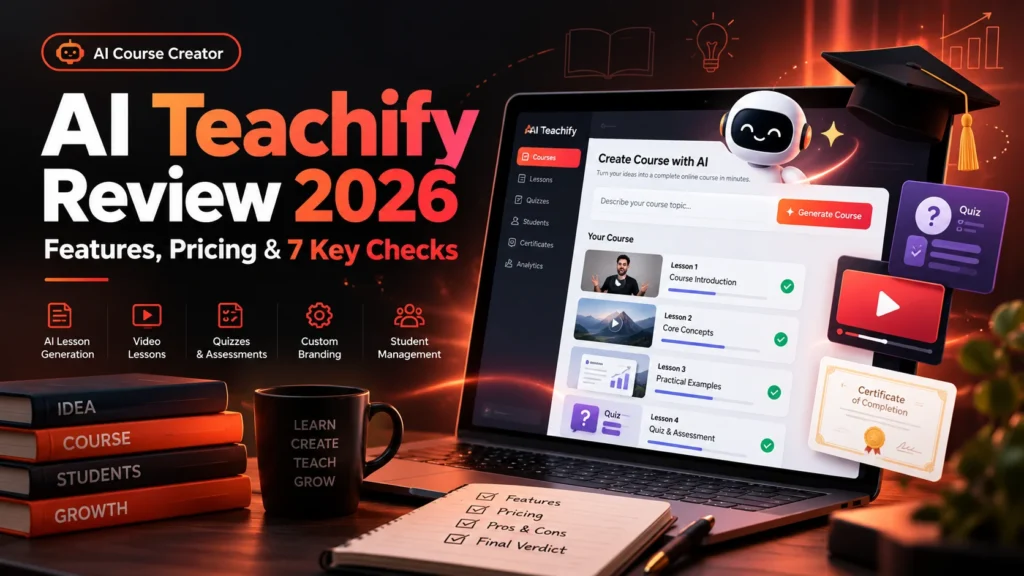
AI Teachify review 2026: Creating a useful online course involves more than producing slides or video lessons. A good learning experience also requires clear objectives, accurate material, suitable quizzes, feedback, accessible lessons, secure student access and a reliable payment process. AI Teachify is promoted as an AI-powered course creation platform that aims to speed up several of those stages.
This research-based AI Teachify review examines the seller’s advertised course-generation process, likely audience, pricing and upgrade questions, course design workflow, common limitations, commercial rights and a realistic evaluation checklist. The goal is to help creators, coaches, instructors and small businesses decide whether this category of software can actually improve the process of making educational products.
Editorial disclosure: We have not purchased or run a paid-account test of AI Teachify. We distinguish public marketing claims from our own educational workflow recommendations; we do not invent video quality, conversion rates, revenue results or customer experiences. This article includes LaunchPadJV affiliate links. We may earn a commission if you purchase through them at no additional cost to you; our editorial assessment remains independent. Prices and seller terms can change.
AI Teachify Review 2026: Quick Verdict
Potentially good fit: an expert who already knows their topic and needs help turning that knowledge into a curriculum, learning modules and supporting materials. Proceed carefully: the platform is advertised as doing much of the production work automatically, but an AI-generated course still needs expert review, learner testing and honest marketing.
Our preliminary assessment is “interesting for first-draft course production, with teaching quality and commercial terms yet to be verified.” We would start with one short, educationally sound course and evaluate every step before purchasing further upgrades.
What Is AI Teachify?
AI Teachify is an AI course-creation product featured in the LaunchPad course marketplace. Its promotional material describes generating structured online courses from an idea or prompt. Launch coverage also mentions lessons, video or media content, quizzes, certificates, student features and sales-related components, although access may depend on the plan or upgrade selected.
It is important not to confuse this product with unrelated services that happen to use “Teachify” or similar names. The product reviewed here is the AI course creator promoted through the LaunchPad ecosystem, not a general school classroom management app.
The product aims to reduce repetitive setup tasks. However, automation alone does not guarantee that learners will understand the material or that a course will sell. A strong course needs a clear audience, verifiable instruction, authentic examples and continuous improvement.
AI Teachify Features: Advertised Capabilities to Check
| Advertised feature area | Possible benefit | Evidence to request |
|---|---|---|
| Prompt-to-course generation | Start from an idea instead of a blank curriculum | Full editable course sample and its generation limits |
| Lesson structure | Organize a learning path | Can objectives, order and difficulty be changed? |
| Video or media lessons | Make courses more engaging | Actual render quality, credits, voices and download rights |
| Quizzes and assessments | Check understanding | Editable answers, explanations and question accuracy |
| Course storefront | Present courses to potential learners | Live demos, payment processor fees and domain options |
| Student management | Track enrollment and access | Seat limits, security, exports and privacy options |
| Certificates or completion | Recognize participation | Which plans include them, and can you control the criteria? |
| Multilingual or commercial options | Reach more audiences and clients | Supported languages, license scope and translation quality |
These table entries are investigation points, not independently verified entitlements. In particular, a tool that advertises “unlimited courses” may still limit video generation, AI voices, learner seats or hosting in its base plan.
How to Create an Online Course With AI Teachify: A Responsible Workflow
Step 1. Choose one learner, one outcome
Define the course audience and what they will be able to do after completing it. “Understand digital marketing” is too broad for a beginner short course. “Set up a basic content calendar and measure campaign engagement” is easier to teach and evaluate.
Write a short learner profile, including prior knowledge, available time and typical barriers. If the audience is new to AI, avoid unexplained abbreviations. If it is professional, provide realistic work examples rather than repetitive definitions.
Step 2. Write measurable learning objectives
An objective such as “students will enjoy the course” is difficult to measure. Try “students will draft a five-post content calendar using an approved business brief.” This makes it possible to decide which lessons, demonstrations and quizzes matter.
For curriculum design principles, the Carnegie Mellon Eberly Center’s guidance on learning objectives is a useful starting point. It explains why clear, assessable outcomes improve instructional planning.
Step 3. Ask AI for a course outline, not an entire finished business
Enter the topic and learning objectives where your actual AI Teachify interface permits. Review the resulting sequence before approving any content. Remove modules that repeat the same advice. Ensure each chapter prepares the learner for the next one and does not assume knowledge the learner has not gained.
Step 4. Add real demonstrations and useful exercises
Replace generic examples with demonstrations that a learner can repeat. For a content-marketing course, provide an original fictional client brief, show a sample weekly calendar and explain how you would assess the final submission. Avoid representing invented screenshots as actual software results.
Step 5. Check AI-generated lessons for accuracy
Open every significant citation. Correct outdated features, irrelevant statistics and any advice that could mislead learners. An AI-created lesson might use a plausible but non-existent industry average; delete it unless you can find a primary source that supports the figure.
Step 6. Build assessments around the objectives
Quizzes should test whether students can apply the lesson, not merely recognize a buzzword. For instance, instead of asking “Is SEO important?” show two page titles and ask which one more accurately reflects a search query, then provide an explanation.
Step 7. Review accessibility and mobile learning
Test captions, video playback, keyboard navigation, font readability and color contrast. The W3C’s Web Content Accessibility Guidelines provide principles for perceivable, operable, understandable and robust experiences. Check whether your selected platform offers accessible content controls or whether you must provide additional materials.
Step 8. Preview the course as a new student
Use a test learner account if the platform allows it. Enroll, open lessons in sequence, complete quizzes, download any resources and test the certificate logic. Confirm that students cannot access paid materials without authorization and that enrollment emails lead to working pages.
Step 9. Launch with realistic promises
Describe who the course is for, what a learner can do afterward, the total time commitment, included resources, prerequisites and support policy. Avoid guarantees that every buyer will earn money, get certified by an unrelated institution or find employment automatically.
Worked Example: A Mini Course for Small-Business Social Media
Consider an illustrative four-module course called “Your First Four Weeks of Social Content.” The following structure is our editorial example, not an actual AI Teachify-generated product.
| Module | Lesson outcome | Hands-on task | Assessment |
|---|---|---|---|
| 1. Know your audience | Identify customers and communication goals | Write a simple persona | Explain why the persona fits |
| 2. Plan your content | Select relevant topics and formats | Draft 10 post ideas | Choose and justify the best five |
| 3. Make useful posts | Write clear posts and calls to action | Create two polished examples | Peer or instructor review rubric |
| 4. Measure results | Interpret basic engagement data | Build a small performance report | Identify two improvements |
Each lesson could use a short video, an editable worksheet and a practical mini-assignment. If an AI system prepares the outline quickly, the human instructor can invest more time in original examples, corrections and meaningful student feedback.
The course should include a downloadable resource that a real learner finds useful, such as a reusable calendar. The quality of that resource is more persuasive than a promotional claim that the platform creates “profitable courses in seconds.”
AI Teachify Pricing and Upgrade Structure
Several 2026 launch-era reviews quote an AI Teachify front-end offer around $14–$17, depending on source and promotional circumstances. Those articles disagree on some upgrade prices and package details. Therefore, this page does not claim that an old coupon or specific front-end price is available today.
Third-party launch coverage mentions upgrade categories such as higher limits, done-for-you content, site-building features, agency rights and reseller/white-label options. They may not all be included in the base license. Buyers should request the current checkout funnel rather than assuming every advertised feature comes with entry-level access.
| What you might pay for | Questions to ask |
|---|---|
| Basic AI course creator | How many courses, lessons and generation credits are included? |
| Video generation | Are video rendering and AI voices capped or charged separately? |
| Course hosting | How much storage, traffic and student access are included? |
| Storefront/payment tools | Are payment processors supported in your country? Are there platform fees? |
| “Unlimited” upgrade | What exact restrictions disappear, and what fair-use rules remain? |
| Done-for-you materials | Can you legally customize and sell the supplied course assets? |
| Agency/white-label rights | Can you create client accounts, use domains and rebrand legally? |
| Refunds/support | What does today’s checkout actually promise? |
Do not treat a one-time license as proof that third-party AI video rendering will remain unlimited forever. Ask how the vendor funds ongoing infrastructure, handles outages and updates its supported models.
Can AI Teachify Build a Complete Course From a Keyword?
The seller advertises a keyword- or prompt-led creation process. But the term “complete course” can mean different things: a module outline, scripted lessons, AI-generated video slides, hosting pages or a fully managed learning experience. Ask the seller for a real student-view demo of the exact tier you are considering.
A course is not truly ready merely because its pages contain text and graphics. Lessons must progress logically, provide accurate instruction, test the stated objectives and respect student privacy. For serious paid education, human review remains essential.
Does AI Teachify Include Hosting, Payments and Student Accounts?
Marketing materials describe course-selling functionality and several upgrade options, but we cannot independently verify the complete inclusion list in the base tier. Ask whether an individual course has a dedicated public URL, whether the seller can use a custom domain and how students receive account credentials or purchase receipts.
Also confirm whether payments run through the vendor or an external processor and who handles taxes, disputes and customer support. These details matter more than the visual appearance of a course-sales page.
AI Teachify Pros and Cons
Potential strengths
- Could reduce first-draft curriculum and lesson preparation time.
- Advertised quizzes, media and course pages address common production tasks.
- May be approachable for solo educators without a development team.
- A structured workflow can help turn existing expertise into reusable educational resources.
Risks and limitations
- Independent hands-on performance and reliability have not been established here.
- AI-generated lessons can include inaccuracies and poor instructional sequencing.
- Video, hosting, learner seats or business features may require upgrades.
- Commercial-use and client rights need written plan-specific confirmation.
- No tool alone creates course demand, students or guaranteed revenue.
Who Is AI Teachify Best For?
Potential fit: educators and subject-matter experts
If you already have legitimate knowledge to teach, you may benefit from assistance with outlines, scripts and quiz drafts. Retain final control over what learners see.
Potential fit: coaches and small agencies
Onboarding courses and repeatable training may help reduce live explanations. However, verify whether the selected license permits client materials, multiple accounts or white-label use.
Potential fit: bloggers packaging original expertise
A blogger can reorganize well-researched posts into a structured course, but should add original demonstrations and exercises instead of selling a lightly rephrased collection of blog articles.
Poor fit: creators without expertise or a learner audience
A generated course is not a substitute for knowing the subject. If you do not understand the content well enough to correct wrong answers or support students, launching a paid instructional product may cause harm and refund requests.
A Seven-Point AI Teachify Evaluation Checklist
- Outline quality: Does the platform create a logical learning sequence from your objectives?
- Content accuracy: Can you catch and correct invented citations or misleading instructions?
- Assessment control: Can you change quiz questions, answer explanations and pass thresholds?
- Student experience: Does a learner account work properly on a phone and desktop?
- Accessible media: Are captions, readable slides, transcripts and downloadable resources available?
- Plan economics: Do actual hosting, video credits, domain support and payment fees fit your budget?
- License and support: Are commercial rights, client use, refund eligibility and data export clear?
To test the software fairly, use the same course brief in any other drafting process you already know. Track total editing hours and student comprehension, not simply the time taken to generate a lesson title.
What Makes an AI-Generated Course Worth Paying For?
Students do not pay for slides alone. They pay for outcomes, organized instruction, useful exercises and the instructor’s ability to clarify mistakes. A successful educational resource should make it easier to solve a concrete problem with confidence.
For example, a useful AI writing mini course could provide source-checking rubrics, peer review tasks and real editing exercises. A course that merely repeats “write better prompts” across ten modules does not become more valuable just because an AI engine produced it quickly.
Build genuine examples, collect feedback ethically and update lessons when tools change. If the product offers completion certificates, make clear whether they represent attendance, completed exercises or an externally recognized qualification.
Frequently Asked Questions About AI Teachify
Is AI Teachify an LMS or an AI course generator?
It is advertised as an AI-driven course production platform with several course-delivery and sales functions. The exact hosting, learner management and payment capabilities of each package need confirmation.
Can I create a course without recording myself?
Promotional material discusses AI-generated lessons or video, but actual voice, media and output rights depend on the selected plan. Verify video examples and allow time for correcting narration.
Does AI Teachify guarantee course sales?
No. Buyers, pricing, positioning, instructor expertise, distribution and support all matter. Publishing a course automatically does not create a paying audience.
Does AI Teachify include a commercial license?
Some launch promotions describe commercial-use options. Check the current written terms for whether your exact tier permits selling courses, client work, white-label access or sublicensing.
Is AI Teachify a one-time purchase?
Historical launch pages mention one-time offers, but current prices, usage allowances and upgrades may differ. Inspect the actual checkout before purchasing.
Can I use AI-generated quizzes without review?
That is risky. Check whether questions match the lessons, answers are correct and the quiz evaluates the stated learning outcomes. Incorrect assessments can undermine student trust.
Will the course be accessible to everyone?
Accessibility depends on the actual player, content and controls. Check captions, transcripts, color contrast, keyboard use and mobile layout rather than assuming all templates meet accessibility requirements.
Final AI Teachify Review Verdict
AI Teachify targets a real problem: transforming valuable subject-matter expertise into an organized online course without spending weeks on repetitive formatting and initial lesson drafting. Its potential depends on whether the software preserves instructor control, works reliably for students and includes a plan whose costs fit the actual teaching use case.
Before choosing a tier, prepare one mini course, review it as a student, test the quiz and playback experience, verify the checkout and written license, and determine how much genuine editorial time the automation saves. Above all, be sure you can teach and support the content you plan to sell.
Related AIReviewDock.online guides: How to Fact-Check AI-Generated Blog Posts · CourseForge Studio AI course builder review.