
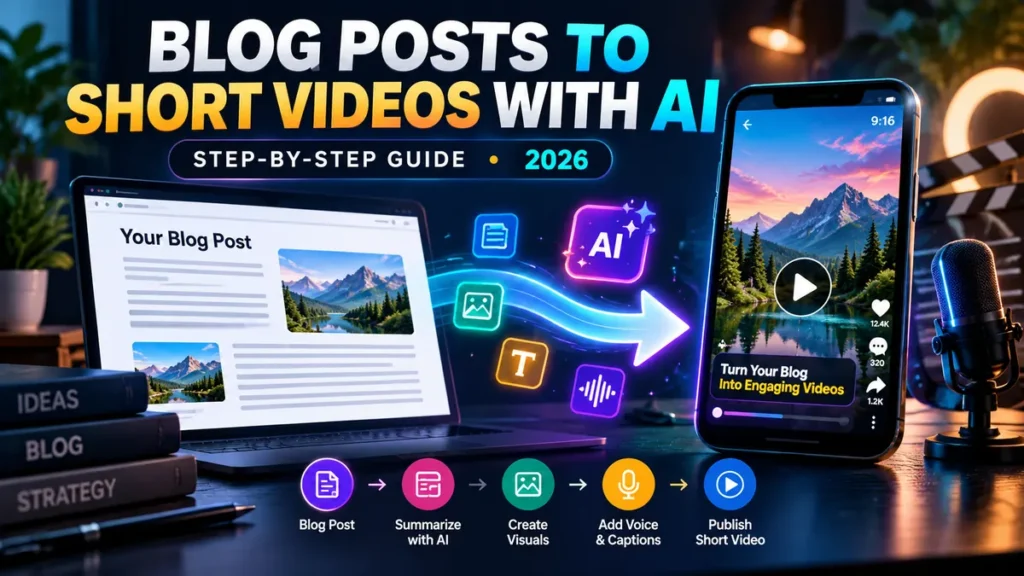
Turn blog posts into videos with AI: you do not need to re-record your whole article, buy an expensive studio or let a generator decide every word. A better process extracts one useful idea from your post, converts it into a tight 30–60-second script, builds a simple shot list and uses AI only where it improves production.
Turning written ideas into video can start with a simple editorial checklist before any automation. For illustrated 3D story clips, our VidZonic AI review discusses character consistency, language quality, export limits and commercial rights. That creative storytelling workflow is different from repurposing an existing blog post.
How to Turn Blog Posts into Videos: 7 Core Steps (Plus 3 Publishing Follow-Ups)
- Pick one evergreen article and one key takeaway.
- Choose your audience, platform and a clear goal.
- Write a 75–120-word script for a short video.
- Plan 5–7 scenes using accurate visuals.
- Generate or record narration and visuals.
- Edit captions, pacing, branding and citations.
- Export a vertical video, publish and measure retention.
The most common failure is trying to squeeze an entire 2,000-word guide into 30 seconds. The practical way to turn blog posts into videos is to select one useful takeaway and show it clearly. Your job is to make one specific idea useful, not to preserve every paragraph.
Step 1: Choose the Right Blog Post
Choose content that is accurate, helpful and easy to summarize visually. Examples include a quick tutorial, a list of common mistakes, a before-and-after explanation, a short comparison or one step from a larger how-to guide.
A complex medical, legal or financial article may require additional expert review and clear context. Do not convert old data into new advice just because AI can generate a confident voiceover. Check publication date, references, prices and any material claims before scripting.
Good candidates for a first test
- A “5 things to check” buyer guide with concrete steps.
- A visual tutorial demonstrating one task.
- A single frequently asked question with a direct answer.
- A concise product comparison with two useful differences.
Poor candidates for a rushed short
- Breaking news with uncertain facts.
- Claims requiring individual professional advice.
- A deeply technical article needing 10 minutes of setup.
- Content based mostly on copyrighted material you cannot reuse.
Step 2: Plan How to Turn Blog Posts into Videos for Your Audience
Decide what you want the viewer to understand or do. One goal might be: “Help first-time bloggers recognize three mistakes that make their content harder to read.” Another might be: “Explain how AI video credits work before the viewer purchases a plan.”
Pick a distribution platform early. YouTube Shorts, Instagram Reels, TikTok and LinkedIn videos have different audience expectations. Vertical 9:16 is often an appropriate format for mobile short-form publishing, but verify current technical requirements for the exact platform before exporting.
If you want the viewer to open the article, include a clear next action that is available in that platform’s actual interface. Do not promise a clickable link inside the video if users cannot interact with it.
Step 3: Build a 45-Second Script From the Article
To turn blog posts into videos with accurate scripts, identify a single headline, one problem and two or three supporting points instead of pasting the entire URL and accepting whatever appears. Aim for conversational wording and read it aloud.
Use this reusable prompt in an AI writing tool:
Turn the article text below into a 45-second educational video script for a US beginner audience. Use only claims in the supplied text; don’t add statistics, prices or features that are not supported. Start with a clear hook, explain one problem, give three actionable tips and end with one relevant next step. Keep sentences short. Provide a table of scenes with narration, on-screen text and suggested visuals. Mark any uncertain claims for human review. ARTICLE: [paste the edited article or key sections here].
A script is not finished until you compare every important statement against the original source. If the AI changes the meaning of a product’s price, adds a benefit that does not exist or promises a specific income result, rewrite it before generation.
Worked Example: Turn One Blog Paragraph into a 45-Second Video
Illustrative example (not a product test): imagine your article explains ways a small business can shorten meetings. Choose one useful takeaway rather than summarizing every paragraph. A script might say: “Meetings run long when the outcome is unclear. Before your next meeting, write a one-sentence goal, share two questions in advance, and finish with one owner and one deadline. Try this format for one week. For the full checklist, read the linked article.” These are suggested actions, not measured results or a sales promise.
Six-scene storyboard: (1) 0–4 seconds: “Too many meetings?” hook; (2) 4–11 seconds: show a one-line goal; (3) 11–19 seconds: two preparation questions; (4) 19–29 seconds: owner and deadline; (5) 29–39 seconds: recap the three actions; (6) 39–45 seconds: invite readers to the complete article. Timings are an editable example. Use legible captions and visuals you have the rights to publish.
Quality check: fact-check the script against its source article, preview on a phone, and compare real watch time and link clicks after release. For an actual software buying decision, see our Blog2Vid review and Blog2Vid vs MorphStudio AI comparison.
Step 4: Make a Practical Storyboard
Suppose your blog post covers “Why AI Video Credits Run Out Faster Than Expected.” Here is a hypothetical 45-second storyboard you can adapt:
| Time | Narration goal | Visual idea |
|---|---|---|
| 0–5 seconds | Hook: “625 credits doesn’t mean 625 videos.” | Large credit counter with a question mark |
| 5–12 seconds | Explain that each model charges differently | Two model cards with different rates |
| 12–21 seconds | Show a simple five-second clip calculation | Animated calculator using verified figures |
| 21–31 seconds | Explain why retries affect real output | Draft, reject, revise, accept timeline |
| 31–40 seconds | Remind viewers to check rollover and top-ups | Renewal calendar and small checklist |
| 40–45 seconds | CTA: Check the full credit guide | Clear branded end card |
The numbers above describe creative timing, not a claim that a given service exports scenes at these exact lengths. Keep on-screen text short enough to read on a phone without pausing.
Step 5: Choose a Tool to Turn Blog Posts into Videos
Workflow A: Dedicated blog-to-video tool
Use this when you want the software to take your article, propose a script and assemble draft visuals. The key benefit is reduced repetition across a backlog of posts; the weakness is that summaries may omit important context or select inaccurate scenes. If you turn blog posts into videos in batches, manually review the factual claims in every output.
Our Blog2Vid vs MorphStudio AI comparison explains why an article-to-video tool and a talking-avatar tool should not be treated as interchangeable. That comparison is a separate buying guide; this article is the platform-independent production workflow.
Workflow B: AI script plus video editor
Use a text model to draft the outline, record your own voice or use a licensed synthetic narrator, then assemble visuals and captions in an editor. This gives you more manual control and makes it easier to review each claim.
Workflow C: Script plus AI presenter
Use an avatar or presenter tool when a human-style spoken explanation would make the topic clearer. Make sure you have consent to use a recognizable face or voice and the right to publish the generated output commercially. You can check the advertised scope and credit questions in our MorphStudio AI review.
Step 6: Use Images, Narration and Captions Responsibly
Choose footage you own, licensed stock, screenshots you have permission to use or original AI-generated visuals whose terms permit your intended use. Avoid generating a misleading image that appears to prove an unverified event or product capability.
When you turn blog posts into videos, narration should prioritize accurate pronunciation, steady pacing and clear volume. Synthetic voices can mispronounce company names, units and numbers; check them before export. Add captions for accessibility and for people watching without sound.
Review every subtitle line against the spoken words. AI captions commonly struggle with brand names, acronyms, technical terms and rapid speech. Use readable contrast and keep important words away from interface overlays such as bottom navigation or captions.
Step 7: Edit for Retention, Not Just Visual Effects
Remove repeated phrases, long openings, distracting transitions and visuals unrelated to the narrated point. Show examples when they teach something. For a tool tutorial, a clear screen recording can be more useful than five cinematic clips of abstract robots.
Use this practical quality checklist:
- The first five seconds state a real reason to keep watching.
- Each scene supports the narration.
- Facts, calculations and product names were independently checked against the source.
- Captions and images remain legible on a phone.
- Music does not overpower the voice.
- The end card has one reasonable action.
- The license covers the commercial use you intend.
Publishing Follow-Up 1: Export for Shorts, Reels or TikTok
For most mobile-first short video platforms, 1080 × 1920 pixels in a 9:16 layout is a useful production default. However, platform aspect ratios, duration allowances, compression behavior and upload limits can change. Always consult the destination’s current upload help and preview the actual video before publishing.
Keep an editable project, the script, original assets and a clean MP4 backup. A vendor’s “unlimited generations” claim is not a substitute for a secure export of your creative work.
Publishing Follow-Up 2: Publish With a Helpful Title and Description
When you turn blog posts into videos for social publishing, write a title that describes the actual benefit—not a guaranteed ranking or “viral” promise. Example: “AI Video Credits: Why 625 Doesn’t Mean 625 Videos.” Add a short description, relevant context, platform-appropriate disclosure and a link to the complete article where supported.
When embedding video on your own website, follow Google’s video SEO best practices: make the video discoverable in rendered HTML, use stable media and thumbnail URLs, and consider appropriate video metadata. A blog post with an embedded clip may not qualify as a dedicated video watch page; don’t expect special video search treatment automatically.
Publishing Follow-Up 3: Measure Results and Improve the Next Video
After several videos, track average view duration, early retention, completion, meaningful clicks and the quality of comments. Don’t overreact to one video’s results. Choose one variable to improve each time: the opening, the pace, the voice, the visual clarity or the topic.
| Problem you observe | Reason to test | Possible fix |
|---|---|---|
| Viewers leave in the first seconds | Hook doesn’t explain the value | State the problem immediately |
| Long middle section loses attention | Too many concepts | Limit each short to one takeaway |
| Few visits to the article | CTA is unclear or link inaccessible | Provide a platform-appropriate next step |
| High output volume but low usefulness | Automatic batches skip editorial checks | Reduce quantity and check each finished file |
How Much Does It Cost to Turn Blog Posts into Videos With AI?
It depends on the tool, model, generation time, voice service, number of retries and editing effort. A cheap subscription that needs five retries per acceptable video may not save time. A higher-priced editor could be more economical if it consistently generates usable output.
To turn blog posts into videos on a predictable budget, record subscription fees, generation credits, stock and voice costs, your editing time and the number of clips you actually publish. Compare cost per useful video, not just the number of credits or advertised generations.
Some creators can start with a phone voiceover, free editing software and original screenshots. Using fewer paid AI tools is often a better first experiment than subscribing to three platforms at once.
Frequently Asked Questions
Can AI Turn Blog Posts into Videos Automatically?
Some services advertise URL-to-video conversion. Review the draft script and visuals before publishing because content extraction and summarization can be incomplete or inaccurate.
How long should a video from a blog post be?
Start with one focused idea that works in roughly 30–60 seconds, then adjust based on your audience and the platform’s actual limits. There is no single ideal length for every topic.
Do I need to show my face?
No. Screen recordings, original visuals, diagrams, stock footage and properly licensed synthetic narration can all support a helpful educational video.
Can short videos improve blog SEO?
They can create another way for people to discover your material, but embedding an AI video does not guarantee higher rankings. The video and accompanying page must be genuinely useful and technically accessible.
Should I publish every generated video?
No. Review each for factual accuracy, copyright and licensing, clear narration, relevant visuals and whether it adds value beyond your existing article.
Free Blog-to-Video Script: A 45-Second Example
Use this reusable format when you want to turn a blog post into a vertical video without recording a long narration. Start with one specific takeaway from the article, not a machine-written summary of every heading. Here is a hypothetical 45-second script for a blog about planning a productive study week; it is an original example, not a tested output from a commercial video tool.
| Time | Narration example | Visual or caption |
|---|---|---|
| 0–5 sec | Still losing track of your weekly study goals? | Show a crowded calendar and one clear question |
| 5–13 sec | First, choose the three assignments that matter most. | Three-item checklist appears on screen |
| 13–24 sec | Next, give each assignment a realistic study block. | Calendar fills with short focused sessions |
| 24–35 sec | Then, leave one free slot for unexpected work. | Empty buffer slot is highlighted |
| 35–45 sec | Finally, review the plan on Sunday and adjust. Save this checklist. | Show a clean weekly schedule and call to action |
For this format, keep your spoken script short enough to read naturally. Place captions inside the safe area of a 9:16 frame, use visuals you have rights to publish and check that the audio remains clear on a phone. A narrated example does not become helpful simply because an AI editor adds animations.
Blog to Video With AI: Choose the Workflow by Your Goal
| Goal | Simple workflow | What to check |
|---|---|---|
| Repurpose one educational article | Manual outline + short script + video editor | Accuracy, pace and rights |
| Publish weekly social clips | Repeatable storyboard + template editor | Time per usable clip and export quality |
| Explain a complex product | Written script + screenshots + narration | Does the video actually demonstrate the product? |
| Build a faceless channel | Original scripts + licensed images or AI scenes | Platform labeling and value beyond reused clips |
A six-point upload checklist for Shorts and Reels
- Compare the spoken claims with the original blog post.
- Check all screenshots, footage, music and voice rights.
- Export the platform’s intended aspect ratio and readable captions.
- Write a clear title that matches the actual video content.
- Include a helpful link back to the relevant article where appropriate.
- Measure qualified video visits and reader engagement, not just video views.
If your page has fallen in search impressions, don’t assume embedding more video clips will automatically fix organic rankings. Compare the page’s current search queries, indexability and reader usefulness first. A well-edited video can enrich an article, but it does not guarantee a higher position in Google.
Final Takeaway: Start Small and Build a Repeatable Workflow
To turn blog posts into videos with AI, start with one useful idea, write a verified script, build a straightforward storyboard, choose the right type of production tool and edit the generated output for clarity. Measure what people actually watch before automating a large content backlog.
For additional background on software limitations and inflated marketing promises, see our GPTAstraMax review and Unlimited AI review.