
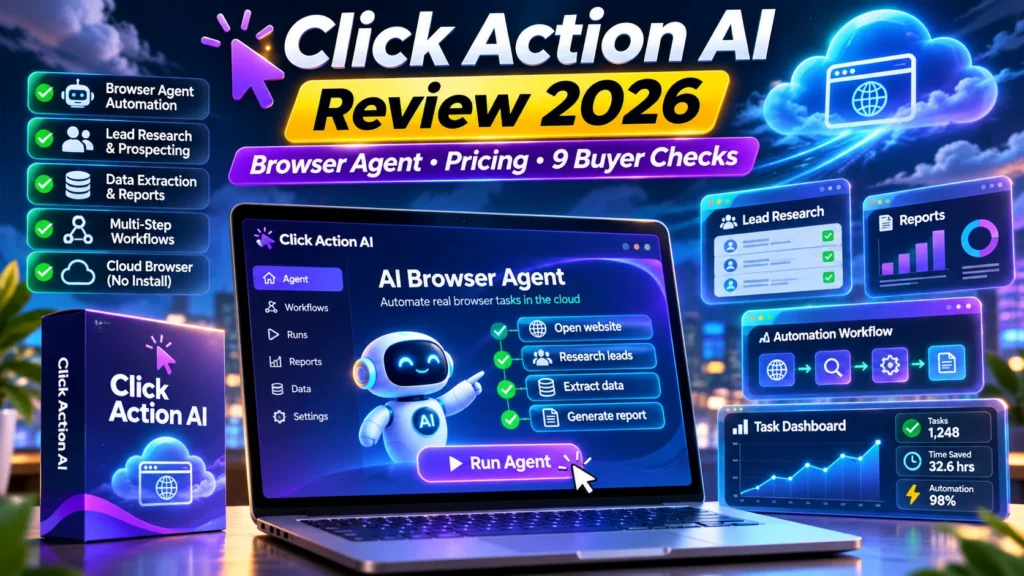
Click Action AI review 2026 — Click Action AI is promoted as a cloud-browser agent that opens pages, plans multi-step actions, completes a requested task and exports the results. Its marketing promises a more direct ‘prompt to finished job’ experience than a chat assistant, but success depends on website permissions, task errors, payment approvals and whether outputs are checked. This independent buyer guide explains the documented launch details and the exact questions worth asking before you pay. We reviewed public vendor and marketplace material on November 10, 2026; we have not bought an account or benchmarked the software ourselves.
Affiliate transparency: This site reviews commercial products and may earn commissions where approved tracking links are used. The four prominent buttons in this article currently go to an official product or partner-information page, not a verified AIReviewDock affiliate referral URL. Product descriptions are vendor claims until independently tested; prices and terms can change.
Click Action AI review 2026: quick verdict and facts
| Factor | Verified public information |
|---|---|
| Vendor | Yogesh Agarwal |
| Marketplace | JVZoo |
| Launch / listing | November 10, 2026 |
| Listed pricing | $36.95 front-end according to the latest vendor JV document; $27 appears in an older launch listing |
| Hands-on test | Not completed — documentation-led review |
| Verdict | Promising for permissioned research and supervised repetitive browser work; avoid unattended sensitive actions until you have tested reliability. |
The main consideration is whether this offer solves a real problem at a predictable cost. Before choosing a package, distinguish its front-end features from optional upgrades, check license boundaries, and test one small use case. In addition, treat the vendor’s promotional screenshots as demonstrations, not as independently validated results.
What is Click Action AI and who is it for?
Click Action AI is promoted as a cloud-browser agent that opens pages, plans multi-step actions, completes a requested task and exports the results. Its marketing promises a more direct ‘prompt to finished job’ experience than a chat assistant, but success depends on website permissions, task errors, payment approvals and whether outputs are checked.
Promising for permissioned research and supervised repetitive browser work; avoid unattended sensitive actions until you have tested reliability. It may be relevant to people already working in the described niche, but a buyer should not mistake a strong product concept for confirmed output quality or guaranteed business benefits. In practice, successful use also depends on good inputs, human checking and the terms of connected platforms.
Click Action AI review 2026: six important features explained
1. Live cloud browser and mission planner
According to the vendor, a simple prompt creates a checklist and the browser visits sites, clicks controls and records progress. This is more ambitious than summarizing web pages. Test whether a mission actually completes all steps and gives evidence for every important source.
2. Lead Finder and competitor reports
The pitch includes local-business lists, competitor-pricing research and market reports. These results still need deduplication, source attribution and accuracy checks. A public directory listing can be old and may not provide consent for unsolicited marketing.
3. Pause, takeover and approvals
The vendor describes manual takeover when a login or verification step appears, along with checkpoints before significant actions. This is crucial: authorization and MFA must remain under the account owner’s control, not be bypassed by automation.
4. Exports and 50 Gig Missions
Sales documentation lists CSV, Sheets and branded PDF deliverables plus 50 sample gig missions. Before selling a service, inspect a complete sample CSV and ask whether each field is verifiable, current and legally usable.
5. 100 browser missions a month
The current JV document describes 100 monthly missions for the front end. Verify exactly how a mission is counted, whether failed runs consume allowance, and what resets each billing period. More missions may be tied to Pro or other tiers.
6. Mobile dashboard and connected accounts
Mission monitoring from a phone is advertised, but serious work still demands account security, access revocation and error tracking. Never give a third-party agent unrestricted control of a finance or customer account simply to save clicks.
Click Action AI review 2026: a practical seven-step evaluation workflow
The steps below are a recommended buyer test plan, not a claim that our editors completed them in a paid account. Use the same inputs for a competing tool if you want a fair comparison.
Step 1: Define one measurable low-risk mission
For a first test, ask the agent to compare the publicly posted menu prices of five local businesses and record URLs, dates and amounts. Avoid harvesting private contacts, bypassing access controls or placing live orders.
Step 2: Set the boundaries before clicking
Specify allowed sites, maximum pages, data fields, time budget and the actions requiring approval. A responsible mission should never buy, submit personal data or publish content without an explicit checkpoint.
Step 3: Watch the planned steps
Check whether the mission checklist reflects your actual goal. If it starts visiting unrelated sources, stop and correct the scope. More clicks do not necessarily mean better research.
Step 4: Inspect collected evidence
Open a sample of the original source pages. Compare every product name, currency and phone number against its source rather than assuming the export is accurate.
Step 5: Introduce an expected failure
Choose a source that has changed its layout or requires a login. The point is to learn whether the tool pauses safely, reports the problem and preserves previous work.
Step 6: Export a client-ready report
Download the CSV or PDF, confirm there are no duplicates, missing fields or invented figures, and document which checks a human completed.
Step 7: Compare cost and time
Repeat the task with ordinary browsing or your existing automation. Count manual corrections, credits used, report quality and time saved before paying for an upgrade.
Click Action AI review 2026: pricing, upgrades and actual cost
The published price information is $36.95 front-end according to the latest vendor JV document; $27 appears in an older launch listing. Always differentiate a time-limited launch figure from your live checkout total. Optional upsells are useful only if they unlock something you genuinely need. Furthermore, some products have separate provider/API charges, different license types or recurring plans that a simple front-end figure does not describe.
| Plan or offer | Price shown | Buying implication |
|---|---|---|
| Front end | $36.95 in current vendor document | Older MunchEye listing says $27; verify live checkout and any coupon |
| Pro (OTO 1) | $67; $57 alternative | Multiple cooperating agents, deeper research and more complex missions |
| Automation (OTO 2) | $97; $87 alternative | Scheduled and triggered missions, human approvals |
| Agency (OTO 3) | $147; $137 alternative | Client workspaces and business-delivery license |
| Cinematic Sites AI (OTO 4) | $37; $27 alternative | Separate prompt-to-website offer, not necessarily core browser automation |
| Claw Agents AI (OTO 5) | $37; $27 alternative | Other AI business-agent workflows |
| Bundle | $367 / $467; promotional coupon advertised | Check checkout terms rather than assuming the largest advertised discount applies |
For a realistic comparison, write down the cost of the base product, the specific upgrade you need, recurring services, taxes and any external tools. Then estimate the cost of one usable outcome rather than the number of prompts, leads, drafts or missions advertised. If the documentation omits an important limit, ask the seller before purchasing.
Click Action AI review 2026: advantages and drawbacks
| Potential advantages | Risks / limitations |
|---|---|
| One-command browser workflow may reduce repetitive switching | Browser agents can make incorrect edits and submissions |
| Vendor supplies unusually detailed JV documentation and use-case examples | Sources and business leads may be stale or non-consensual |
| Human takeover and approval features are explicitly promoted | Monthly mission limits and upgrades create cost uncertainty |
| Exports and separate service tiers allow focused evaluation | Sales demonstrations are not independent test results |
These are decision factors, not a substitute for an independent quality benchmark. For example, the presence of an export button doesn’t prove that the exported file is correct, licensed or suitable for your market. On the other hand, a reasonable starter plan can be valuable when its limitations match the task you need done.
Click Action AI review 2026: 9 essential checks before buying
1. Account permissions and MFA
Never give a connected tool more access than required. Verify credential storage, access revocation, approval steps and support for multi-factor login. Keep a written record of the answer and confirm any promise in the current checkout terms rather than relying only on a launch graphic.
2. Accuracy of generated records
Manually validate a sample of exported leads, prices and source URLs. An attractive report can still contain outdated or fabricated entries. Keep a written record of the answer and confirm any promise in the current checkout terms rather than relying only on a launch graphic.
3. Control of side effects
Test a draft-only action before allowing publishing, sending, deleting or changing account settings. Look for a precise confirmation boundary. Keep a written record of the answer and confirm any promise in the current checkout terms rather than relying only on a launch graphic.
4. Recovery from broken websites
Ask what happens if page structure changes, a site blocks automation or an unexpected CAPTCHA appears. Safe stopping is preferable to forceful workarounds. Keep a written record of the answer and confirm any promise in the current checkout terms rather than relying only on a launch graphic.
5. Data privacy and retention
Determine where browser sessions, screenshots, input files and exports are stored, who can access them and how deletion works. Keep a written record of the answer and confirm any promise in the current checkout terms rather than relying only on a launch graphic.
6. Mission counting
Check whether retries, partial jobs and errors use the advertised 100 front-end monthly browser missions. Keep a written record of the answer and confirm any promise in the current checkout terms rather than relying only on a launch graphic.
7. Licensing and commercial work
Confirm whether the current entry package allows client projects or whether the advertised agency tier is required. Keep a written record of the answer and confirm any promise in the current checkout terms rather than relying only on a launch graphic.
8. Total checkout cost
Do not confuse five upgrades with essential features. Price only the capabilities needed to complete the defined task. Keep a written record of the answer and confirm any promise in the current checkout terms rather than relying only on a launch graphic.
9. Refund and support
Read the vendor’s live refund and usage terms and ask support a real technical question before relying on this agent for client work. Keep a written record of the answer and confirm any promise in the current checkout terms rather than relying only on a launch graphic.
Is Click Action AI better than an alternative?
The right comparison is the same real task, performed at similar quality, with all costs counted. For research tools, compare accuracy and source traceability; for marketing software, compare editorial review and platform compliance; for licensed digital content, compare rights and customization time. A free or existing workflow may already meet your needs.
On AIReviewDock.online, see RoboTek AI review and LinkSpectre review. These cover adjacent products and offer different buying considerations; neither comparison implies identical features or interchangeable licenses.
For educational context on our separate .com site, read AI agents versus automation and AI tool privacy checklist. The educational site is independent from this affiliate-focused review and is not a substitute for vendor documentation.
Click Action AI review 2026: frequently asked questions
Does Click Action AI really operate a browser?
That is the vendor’s core description. Its JV page shows examples of opening pages, clicking, entering data and exporting results, but this article does not claim a hands-on benchmark.
What is the Click Action AI price?
The latest vendor JV documentation lists $36.95 on the front end, while an older launch listing shows $27. Always verify the current checkout.
What is included in Pro and Automation?
Pro is marketed for multiple coordinated agents and complex research. Automation adds scheduled and triggered tasks; both are separately priced.
Does Click Action AI guarantee paid freelance work?
No. Demo gig ideas and reference prices do not guarantee demand, client approval, data accuracy or earnings.
Can it bypass passwords, CAPTCHA or site rules?
It should not. The advertised takeover feature is for legitimate user authentication and approvals; follow website rules and data-protection requirements.
Click Action AI review 2026: final buyer verdict
The most useful decision criterion is a completed, audited low-risk job. If Click Action AI accurately handles your existing repetitive research while keeping you in control of sensitive steps, it may earn its place. If the tool cannot reliably verify results or account boundaries, don’t add more expensive upgrades to compensate.
Our editorial standard is to separate verified public information, promotional promises and independently tested results. This product has not received a purchased-account benchmark from us. Before a commitment, confirm a live checkout, review the actual license, test the smallest suitable task and keep control of any important account or personal data.
Sources and methodology
Public information checked on November 10, 2026: official vendor / launch details and JVZoo front-end affiliate information. Prices and upgrade contents may change after launch; affiliate commission status is not confirmed for this publisher.