
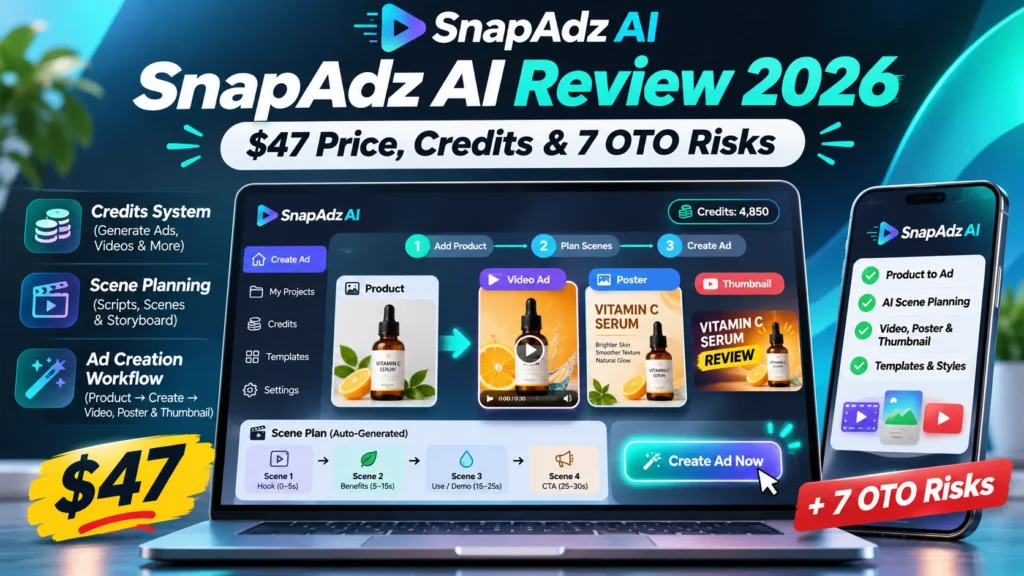
SnapAdz AI review: This SnapAdz AI review looks at a specific, easily misunderstood promise: turning a handful of product pictures into ads without starting from a blank timeline. SnapAdz AI is scheduled for a November 17, 2026 JVZoo launch, with a $47 Commercial Studio License front end. The vendor describes 15-second video ads, posters and thumbnails, a plan-first editor, and several paid upgrades. We have researched published vendor material and the affiliate listing, but have not independently run the paid software or measured ad performance. The central question is whether the included rendering credits and your permitted commercial use fit the campaigns you need.
Editorial disclosure: This is a research-based product review, not a claim of first-hand paid testing. This post may later include affiliate links after approval; none are active in this draft.
Quick Verdict
SnapAdz AI may suit a seller who needs a few short product creatives and wants to approve a scene plan before spending credits. The $47 JVZoo front end is not unlimited rendering: plan capacity, top-up pricing, client rights and optional upgrades are essential checks. No tool guarantees clicks, purchases or revenue.
SnapAdz AI review: Price and Facts
| Vendor / network | Purna and Chandana AA Digital; JVZoo |
|---|---|
| Launch and base price | November 17, 2026; $47 Commercial Studio License, subject to checkout |
| Output focus | 15-second product video ads, posters and thumbnails |
| Input workflow | One to four product photos, then inspect and edit the scene-by-scene plan |
| Usage model | Credits charged on rendering, with a separate paid upgrade funnel |
| Rights | Check exact client-work permissions for the purchased edition |
| Evidence status | Official vendor descriptions and JVZoo affiliate listing; no independent paid test |
What Is SnapAdz AI and What Can It Produce?
SnapAdz AI is presented as a browser-based design and rendering workflow for commercial product content. Its official website describes turning one to four photos into a 15-second ad video, a sale poster, or a thumbnail. Instead of jumping straight to a render, the service proposes scenes and captions in plain language. You can inspect the plan and request edits before paying credits to create the files.
That intermediate review step is useful for small retailers because a wrong logo, inaccurate headline or mismatched product shot can make a paid ad worthless. It is still necessary to inspect the rendered output: a coherent plan cannot guarantee readable text, natural product movement or accurate color representation in the final video.
SnapAdz AI Review: How the Plan-First Workflow Works
A practical first attempt starts with four clear photos of the same item, ideally showing consistent branding and several angles. Select a format and decide whether the creative belongs on short-form social media, a product listing or a website. Next, read each proposed scene to check the opening hook, the product benefit and the final call to action.
Revise exaggerated claims, incorrect product properties and unsupported discounts before pressing Render. After generation, watch the entire 15 seconds on a phone with sound muted. The opening frame, on-screen words and final product detail should remain understandable without relying on narration. If the video must be regenerated, check how many credits that additional attempt will consume.
The $47 Front End: What Is Actually Confirmed?
JVZoo lists the SnapAdz AI Commercial Studio License at $47, with a launch scheduled for November 17. That is the advertised entry product, not proof that every feature shown in promotions belongs to that edition. The vendor also sells a separate AppSumo lifetime-deal structure with Base and Pro plans; AppSumo credit quantities should not automatically be treated as the entitlements of a JVZoo purchase.
Before checkout, read the exact JVZoo order page and license document. Confirm included credits, whether top-ups expire, supported resolutions, whether watermarking applies, whether client work is permitted, and the refund conditions. A one-time software purchase can still have ongoing usage costs when rendering relies on external AI models.
Rendering Credits: 720p Versus 1080p Costs
The vendor’s public product website gives illustrative rendering costs: a poster consumes 6 credits, a thumbnail 10 credits, a 15-second 720p video 128 credits, and a 15-second 1080p video 256 credits. These published figures explain why a credit-based product needs a per-output cost check. They are not a substitute for confirming the exact credit balance of the JVZoo $47 edition.
For a simple planning example, four HD 720p videos would require 512 credits at the quoted rate; four Full HD 1080p versions would require 1,024 credits. Extra attempts, alternate aspect ratios or creative revisions that trigger rendering may raise the total. If you publish five video ads each week, calculate your projected monthly credit use before judging the one-time sticker price.
The 7 Upgrade and Funnel Checks
JVZoo lists a funnel with up to seven additional products: Presenter Pro, Presenter Pro Lite, Bring Your Own Key, Done-For-You, Agency, Agency Lite and a Complete Bundle. The public listing verifies these names but does not establish that every buyer needs them. The front end can be adequate for a modest in-house campaign, while an agency may need a different license.
Ask the vendor to show an itemized comparison of every edition before paying. In particular, verify that the client-work license, custom presenter, voice rights, own-model API capability, number of workspaces, and credit usage rules are actually present in the edition you choose. Do not buy an upsell because a countdown claims you will never be able to use the tool without it.
Presenter Videos, Voice and Likeness Permissions
Presenter upgrades may be interesting to marketers making product explainers with an avatar. But a generated face and voice introduce rights questions beyond ordinary stock video. Use only your own authorized likeness or material with properly documented permission. Do not make an AI presenter impersonate a business owner or endorse a product without authorization.
Also check how scripts are moderated, whether the app supports caption correction, what happens to uploaded voice recordings and whether you can delete them. For public-facing ads, a credible and legally compliant spokesperson matters more than impressive-looking demo animations.
Bring Your Own Key: What It Does and Does Not Save
A Bring Your Own Key upgrade can change the economics by letting a buyer connect a separate AI-model account. The vendor says renders made through supported personal model keys do not consume SnapAdz credits in that workflow. However, this does not mean the generation becomes free: the external model provider may bill tokens, images or video rendering separately.
Compare the external model’s rates, output quality, region restrictions and safety rules before buying this upgrade. Protect API keys through a secure integration screen, not by pasting credentials into an ordinary chat or sharing them with an agency client. An independent API bill is still part of the true cost.
Output Quality Checklist for an Ecommerce Product
To judge a generated ad fairly, use one real item and a brief that states the target shopper, the genuine product benefit and the legal offer terms. Inspect the visual details: text spelling, package labels, product dimensions, background continuity, awkward motion and whether the item changes shape across scenes.
Check both 9:16 and 16:9 exports if you need ads for multiple channels. Confirm the destination landing page is mobile friendly and the call to action promises only what the page delivers. A polished 15-second video will not repair misleading copy, high shipping costs or an unclear return policy.
Who Should Consider It and Who Should Skip It?
A small ecommerce shop that produces occasional launch creatives could benefit from a guided workflow. A service business with seasonal offers might use posters and thumbnails alongside short videos, especially if team members lack editing experience. The best fit depends on actual rendered quality and the number of credits included in the chosen edition.
It is less compelling for teams already using a capable video editor, advertisers that need a large volume of experiments, or businesses that require exact product photography without generative alterations. Agencies should wait until commercial client rights, workspaces, data handling and render economics are confirmed in writing.
Practical Pros and Cons
Potential strengths are the plan-before-render approach, multiple output types and small-business-oriented templates. The ability to revise captions before generating a costly output could reduce some trial-and-error. The vendor’s published explanation of credit costs makes it possible to estimate production needs.
Main concerns are paid generation credits, separate JVZoo and AppSumo plan structures, potential rendering errors, uncertain upsell value and licensing restrictions for client work. There are no independent benchmark data in this article, and the refund rate or commission offered to affiliates is not a measure of customer satisfaction.
Testing Plan Before a Purchase Decision
If a demo or review account is available, create one video and one poster for the same product using an identical brief. Record the planned credit cost, the actual charge, render duration, output dimensions and every requested correction. Ask whether a failed render is refunded and whether unused credits carry forward.
Run a second brief for an unusual product rather than judging from a vendor’s best demo. Review whether on-screen text is correct, background music is appropriately licensed and download files work on a phone. If you cannot test, ask for an up-to-date walkthrough and written plan entitlements.
Verdict: Is SnapAdz AI Worth Considering?
SnapAdz AI offers an understandable workflow for small advertisers, but the purchasing decision should revolve around credits and rights, not a promise of automatic sales. A $47 entry price might be reasonable for a few usable creatives; it becomes less attractive if every revision requires a substantial top-up.
Our current verdict is cautious: compare the actual JVZoo license with your output forecast, check the funnel, and buy only what your next campaign needs. We have not verified the paid app firsthand or the performance of its sample ads, so a stronger recommendation would be premature.
Related Reviews and Further Reading
On AIReviewDock.online, see Filmoyo AI video review and AutoCinema AI review for relevant buyer comparisons.
For broader guidance, read AI video credit cost guide and AI video advertising workflow on AIReviewDock.com. These are separate educational articles, not copies of this product review.
Research sources checked November 16, 2026: SnapAdz official product site and JVZoo Commercial Studio License listing. Vendor statements and promotional specifications should be verified at checkout.
SnapAdz AI review: calculate the cost per usable creative
A fair purchase decision starts with cost per usable output, not the headline license price. Write down how many posters, thumbnails and 15-second videos your next campaign genuinely needs. Multiply each output by the vendor’s published credit estimate, then add a reserve for one or two corrections. The figures shown on a public product page are planning inputs; the credit balance attached to the JVZoo edition still needs confirmation.
For example, if a campaign needs four 720p clips and two posters, use the published per-output figures to estimate the required credits, then compare that total with the allowance shown in the actual order. Add any external model charges if you use a personal API key. This SnapAdz AI review recommends keeping a simple worksheet with the edition, credit balance, render type, top-up price and expiry rule. Do not assume a lifetime software license means unlimited cloud generation.
SnapAdz AI review: an approval checklist for every ad
Before an ad goes live, compare the generated creative with the real product and the landing page. The video should not invent a product feature, show a different package, change a logo or imply a discount that the seller is not offering. Check spelling on every frame, especially when text is rendered inside a video rather than added later in an editor.
- Confirm the product, packaging, logo and color are accurate.
- Check that price, savings and availability match the live offer.
- Use only music, fonts, stock footage and voices you are allowed to use commercially.
- Review captions, contrast, safe zones and mobile readability.
- Make sure the final call to action leads to the page described in the ad.
This SnapAdz AI review treats generated video as a draft asset, not a finished compliance approval. A human should inspect the export before any advertising spend is attached to it.
SnapAdz AI review: privacy, uploads and ownership questions
Product photos, brand files and voice recordings may contain commercially sensitive information. Before uploading them, read the provider’s privacy policy and terms to learn whether files are retained, used to improve models, shared with subprocessors or available for deletion. If a team member supplies a photo or voice sample, confirm that the business has permission to use it in an AI workflow.
Ask who owns the final export, whether source files can be downloaded, and whether the license permits paid client deliverables, resale or use in advertisements. An agency license and a standard commercial license may grant different permissions. A responsible SnapAdz AI review should distinguish permission to create an ad from permission to use every underlying asset in that ad.
SnapAdz AI review: run a small pilot before scaling
Use one low-risk product and one clear brief. Record the time from upload to download, the number of revisions, credits consumed, output resolution and any manual editing still required. Compare the result with a simple video made in your current editor. The objective is to learn whether the tool saves time while preserving product accuracy, not to prove that AI-generated creative automatically performs better.
If you later test two versions of an ad, keep the audience, offer, landing page and budget as consistent as possible. Track impressions, click-through rate, cost per click and conversions in the ad platform. A change in sales cannot be attributed to the software alone when the targeting or offer also changes. The SnapAdz AI review verdict should therefore be based on your own pilot rather than a vendor revenue example.
When SnapAdz AI may be the wrong fit
A team producing dozens of product videos each week may need predictable batch rendering, advanced editing controls and clear team permissions more than a simple guided workflow. A business whose products require exact photographic detail may prefer conventional photography and editing, because generative video can subtly alter packaging, text or dimensions. If your current editor already handles templates, captions and exports efficiently, switching tools may add another subscription or credit balance to manage.
For occasional social posts, compare the cost of a small number of renders with a template-based editor or a freelancer. If you cannot confirm the credits included in the $47 edition, wait for a written answer. This SnapAdz AI review does not recommend buying upgrades until a specific limitation in the base license has been demonstrated.
Questions to ask the vendor before checkout
- How many render credits are included in the exact JVZoo front end?
- Do credits expire, and what does a top-up cost?
- Are failed renders or revisions charged again?
- Which resolutions, aspect ratios and export formats are included?
- Does the license cover client work, paid ads and multiple brands?
- How are uploaded product photos, voice samples and API keys protected?
- What is the refund process and which support address handles it?
Save the answers and the checkout receipt. These details are more useful than a countdown timer when deciding whether SnapAdz AI review claims match your actual business requirements.
Frequently Asked Questions
How much is SnapAdz AI?
JVZoo lists a $47 Commercial Studio License for the November 17, 2026 launch. Other editions, funnels and AppSumo plans have different terms.
Does SnapAdz AI make full-length videos?
Its public product page primarily describes 15-second product ads, not unrestricted long-form video production.
Are video renders unlimited?
The public vendor website describes credit-based rendering. Check the particular JVZoo edition’s entitlements at checkout.
Can I make ads for clients?
That depends on the purchased license and any agency upgrade. Confirm client rights rather than assuming all plans include them.
Do I need my own API key?
The base workflow is described without requiring your own key; an optional Bring Your Own Key upgrade is listed.
Can SnapAdz AI guarantee profitable ads?
No. Creative quality, targeting, audience, landing page and costs determine results; none is guaranteed.
Review Disclosure and Bottom Line
We independently explain documented features, pricing questions and limitations. We have not purchased or tested this exact edition, and product performance, earnings and availability are not guaranteed. Affiliate links will only be activated after the publisher has an approved, verified referral URL.