
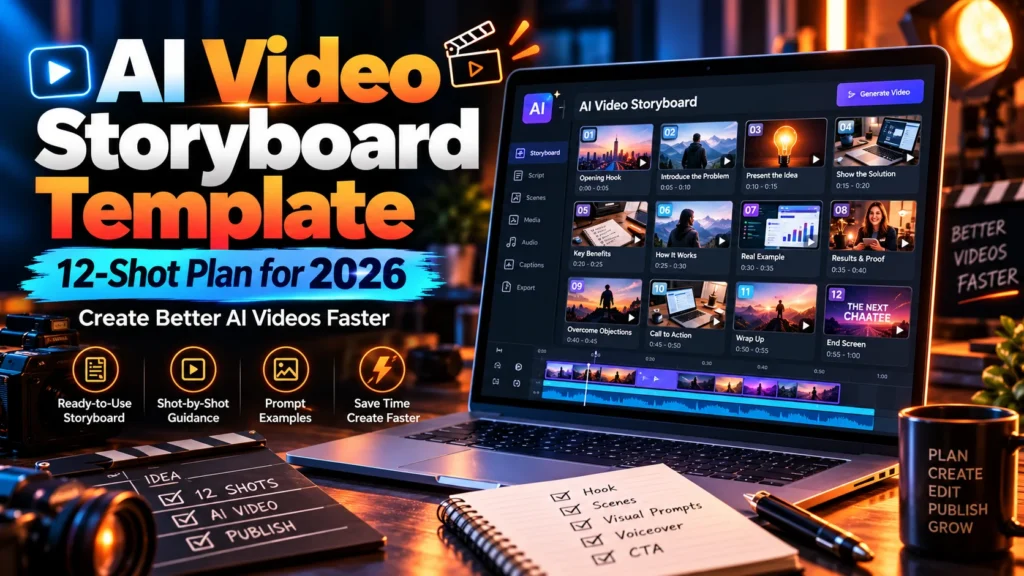
AI video storyboard template: If your AI-generated clips look impressive individually but feel disconnected when edited together, the missing piece is often not a better model. It is a clearer plan for what each shot must show, how long it lasts, and what stays consistent between cuts.
This free 2026 guide provides a complete 12-shot, 90-second storyboard example, a reusable shot-list checklist, a character-continuity sheet, a budget formula, and a practical review routine. You can adapt it to different AI video tools, a normal editor, or a mix of stock footage and generated scenes. Nothing here depends on buying a particular application. For one example of comic-style video software, see our Comic Videos AI review and its credit and bundle considerations.
Editorial note: The storyboard below is an original hypothetical production plan written for readers. It is not a claim that any software produced or tested the scenes. Product-specific credits, generation length, and model capabilities always depend on your chosen platform and plan.
AI Video Storyboard Template: The Quick Method
An AI video storyboard template is a scene-by-scene plan that connects narration, visuals, timing, camera direction and quality checks. To build one, define the viewer and promise, split the story into short segments, set shot durations, specify a consistent visual language, generate or collect assets, then edit and verify the final sequence.
The key distinction is between a storyboard (what the video should look like) and a shot list (the production instructions for each shot). Combining both in one table helps small creators keep the process manageable.
| Planning field | Why it matters |
|---|---|
| Shot number and duration | Keeps total running time under control |
| On-screen visual | Tells the generator/editor what to produce |
| Narration or text | Connects the image to the idea |
| Camera and motion | Preserves a coherent look between shots |
| Reference and continuity | Reduces shifting characters or locations |
| Quality check | Creates an objective acceptance rule |
Before You Create Any AI Video Storyboard
Choose one viewer and one promise
For a ninety-second video, choose one clear outcome. “Teach everything about AI” is far too broad. “Explain three questions to ask before choosing an AI video subscription” is focused enough to storyboard and verify.
Write a single sentence: “By the end, the viewer will know how to compare video-generation credits, editing options and commercial rights.” This becomes the approval standard for the entire project.
Set duration, platform and aspect ratio
Decide whether you’re producing a vertical short for social media, a horizontal YouTube explainer or a square feed post. The choice affects what must remain in the safe area, how large captions should appear and how much detail each frame can hold.
Do not design intricate user-interface text for a narrow vertical frame if viewers cannot read it. Instead, show one number or point at a time and keep key words well inside the frame edges.
Write the script before asking for polished scenes
Read the narration aloud at a natural pace. Highlight every factual statement or statistic that requires evidence. Only after you know the spoken message should you decide whether an expensive generated animation, licensed image or simple diagram is the most useful visual.
Free 12-Shot AI Video Storyboard Template (90 Seconds)
Our example topic is “How to choose an AI video tool without wasting credits.” The plan includes twelve shots that total exactly 90 seconds. Durations are editing targets, not guarantees that a specific AI model can create each scene in one generation.
| Shot / Time | Visual direction | Narration purpose | Final check |
|---|---|---|---|
| 01 · 0–6s | Creator facing several app cards | Open with the cost confusion problem | Hook reads on mobile |
| 02 · 6–13s | Zoom onto a credits counter | Explain that credits are not videos | No fabricated vendor rate |
| 03 · 13–21s | Three labeled video format cards | Compare length, quality and aspect ratio | Labels are legible |
| 04 · 21–28s | Storyboard frames linked by arrows | Explain scene-based workflows | Sequence makes sense |
| 05 · 28–36s | Same subject in two consecutive shots | Show why continuity matters | Character stays consistent |
| 06 · 36–44s | Before/after script correction | Explain editable narration | Words match captions |
| 07 · 44–51s | Simple rerender icon and counter | Discuss retries and hidden costs | No misleading math |
| 08 · 51–60s | Commercial-license checklist | Explain usage rights | Terms not invented |
| 09 · 60–68s | Split screen: manual and automated edit | Discuss time saved versus rework | Balanced comparison |
| 10 · 68–75s | Mobile playback with captions | Emphasize accessibility | Readable without sound |
| 11 · 75–83s | Three-question decision checklist | Summarize buyer tests | Simple action steps |
| 12 · 83–90s | Clean end card and relevant URL | Invite deeper reading | CTA is accurate |
Because 6 + 7 + 8 + 7 + 8 + 8 + 7 + 9 + 8 + 7 + 8 + 7 equals 90 seconds, the storyboard offers a complete timing baseline. However, allow some flexibility as you edit narration and transitions. A shorter cut that communicates clearly is better than a forced 90-second runtime.
How to Write AI Prompts From the Storyboard
A useful prompt is not simply a list of adjectives such as “ultra cinematic, stunning, 8K.” It describes a precise shot with a subject, movement, environment, duration and consistency constraints.
Example prompt for Shot 05
Use the same reference character as Shot 04: an adult video creator wearing a navy jacket in a bright modern studio. Medium shot, eye-level camera, soft daylight, slow rightward camera move. The character reviews a storyboard on a monitor, then points to the next frame. Keep facial features, clothing, lighting and room layout consistent with the supplied reference image. No new logos, fake screenshots or on-screen facts. Leave lower-screen space for separately added captions.
This is a prompt template, not a promise that every AI video model understands each instruction. Some tools support image references or seed controls; others may require a simplified prompt and manual editing. Use only settings your own plan exposes.
What to avoid in prompts
Don’t ask a model to generate important exact numbers, product prices or legal claims as part of an image. AI-generated signage and interface text can be unreliable. Instead, create visuals separately and overlay verified text in your editing software. Keep the factual information in the script where a human can review it.
Character and Scene Continuity Sheet
Long-form projects require more consistency than a single attractive clip. Runway’s guide to long-form AI video planning recommends a master document and shot continuity sheet. Our simplified version below makes those ideas usable for beginners.
| Element | Lock this detail | Common failure |
|---|---|---|
| Character | Clothing, age range, hairstyle, face reference | Subject changes between cuts |
| Environment | Room layout, colors, objects, time of day | Scene looks like a different location |
| Camera | Lens feel, direction, height and subject position | Confusing camera jumps |
| Light | Direction, softness, temperature, shadows | Time of day changes suddenly |
| Visual style | Realistic, illustrated or animated style | Shots look like different productions |
| Timeline | What happened before and after each shot | Objects or actions reset mysteriously |
Keep one folder with the character reference, approved color palette, script version and accepted still frames. When your model permits reference images, use the same ones consistently rather than rewriting an entirely different description for each shot.
Storyboard vs Script vs Shot List: Know the Difference
| Document | Answers | Example |
|---|---|---|
| Script | What will viewers hear or read? | “Credits vary by model and resolution.” |
| Storyboard | What should the viewer see? | A credit counter beside two video options |
| Shot list | How do we produce each visual? | Close shot, 7 seconds, slow dolly movement |
| Continuity sheet | What must stay consistent? | Same desk, lighting, character and clothing |
| Editing checklist | Can we approve the output? | Accurate numbers, captions, rights, pacing |
A combined spreadsheet with columns for these documents is often enough for a solo creator. More complex agency projects may benefit from separate files and an asset-approval process.
How to Adapt the AI Video Storyboard Template to Different Durations
Applying a storyboard to faceless videos: See our Faceless Empire AI review for questions about platform exports, permissions and scheduling.
For a 30-second short
Use only five or six key beats: hook, problem, one example, a useful tip, a caveat and a final takeaway. Remove extra scenes instead of rushing narration. You could select Shots 01, 02, 05, 07, 11 and 12 from the example, then rewrite their timings to total 30 seconds.
For a 60-second explainer
Keep eight to ten shots and dedicate more time to the central example. Make the script approximately one clear idea per shot; if the narration forces you to read rapidly, shorten the message or extend the video.
For a 3-minute video
Break the topic into three acts: problem and stakes, explanation and demonstration, and decision/action. You may need more than twelve shots. Rather than assigning the same length to every scene, vary pacing so complex visuals have time to register.
For a 10-minute video
Build a chapter outline first, then create smaller storyboards for each chapter. Long-form production often uses numerous short generations arranged into sequences. Therefore, divide the project into manageable scenes and budget for narration, continuity checks, transitions and editing.
A Budgeting Method for AI Storyboards
Before you generate a high-quality scene, estimate the number of attempts you may need. The cheapest workflow does not necessarily generate every second with a premium video model. Sometimes a licensed photo with a subtle pan explains a topic as well as an expensive motion render.
Use a hypothetical storyboard with twelve shots. Suppose four need full motion, four can use light animation and four can use owned static diagrams. This is a creative planning split, not a tool-specific price. Compare the resulting generation fees and human editing time against a plan that renders all twelve shots at its highest setting.
Our equation is simple: project cost = generation fees + retries + licensed assets + editing time + narration costs. Divide that by the number of approved finished videos when evaluating ongoing production. Keep any actual vendor rates in a dated worksheet because credits and model access can change.
Seven Common AI Video Storyboard Mistakes
- Starting generation without a script: this leads to impressive but disconnected visuals. Fix the story structure first.
- Trying to generate whole paragraphs as on-screen text: overlay important words manually in the editor.
- Skipping character references: use one consistent visual description and approved references.
- Putting too many ideas in one shot: give every segment a single communication purpose.
- Ignoring spoken timing: rehearse and adjust the duration based on real narration.
- Spending equal credits on every moment: prioritize motion where it helps comprehension.
- Skipping the final watch-through: inspect every transition, caption and claim on both desktop and mobile.
How to Publish and Optimize Your Finished Video
After you export, choose a descriptive title, verify caption accuracy and put the video on a page that adds genuine context. Google’s video indexing guidelines describe the importance of accessible players, a stable thumbnail and correct metadata. Don’t add video structured data unless that page really contains the corresponding playable video.
If the storyboard came from an existing blog article, link viewers back to that article for full citations, pricing details and caveats. Our blog-to-video tutorial walks through the distinct task of repurposing written content into shorter videos.
AI Video Storyboard Template: Final Pre-Export Checklist
- Every shot supports the viewer’s original question.
- All narration and factual claims have been checked against sources.
- Running time and frame dimensions match the destination platform.
- Character, location and lighting continuity are good enough to be clear.
- Captions match the approved script and remain legible on a phone.
- Every image, voice, clip and song has suitable use rights.
- The opening seconds explain why a viewer should keep watching.
- The final takeaway is useful, accurate and not an unrealistic promise.
Frequently Asked Questions
Do I need drawing skills to use an AI video storyboard template?
No. A table with scene descriptions, times and narration is enough to start. Sketches and reference images can help, but clear planning matters more than artistic ability.
Can AI create an entire long video from one prompt?
Products may automate several production stages from a prompt, but long coherent projects still generally depend on planning and sequencing multiple shots. Confirm the capabilities of the specific software and model tier.
How many shots should a one-minute AI video include?
There is no universal number. Around six to ten planned shots can work for many explainers, but the message, pacing and source visuals should determine the final count.
Is a storyboard useful for faceless YouTube channels?
Yes. It helps coordinate narration, generated scenes, charts, screen recordings and captions, especially when no on-camera presenter connects the material.
Should I use AI imagery for every shot?
Not necessarily. Real screenshots, original diagrams, licensed footage and simple animations may communicate technical information more accurately.
Will a storyboard improve YouTube rankings automatically?
No. It is a production tool that can improve clarity and continuity, not a ranking guarantee. The published video still needs value, an audience and a good viewer experience.
Final Thoughts: Use the Template Before You Generate
A strong AI video storyboard template turns vague creative ideas into measurable production steps. Start with one viewer question, write a concise script, divide it into timed shots and lock down visual continuity. Then generate carefully and approve the final edit as a whole—not as a collection of unrelated clips.
Keep the twelve-shot table and continuity sheet as reusable production documents. Over time, record what actually worked so future videos rely less on guesswork and more on proven editorial decisions.
Related: Turn Blog Posts into Videos with AI · Blog2Vid vs MorphStudio AI.