
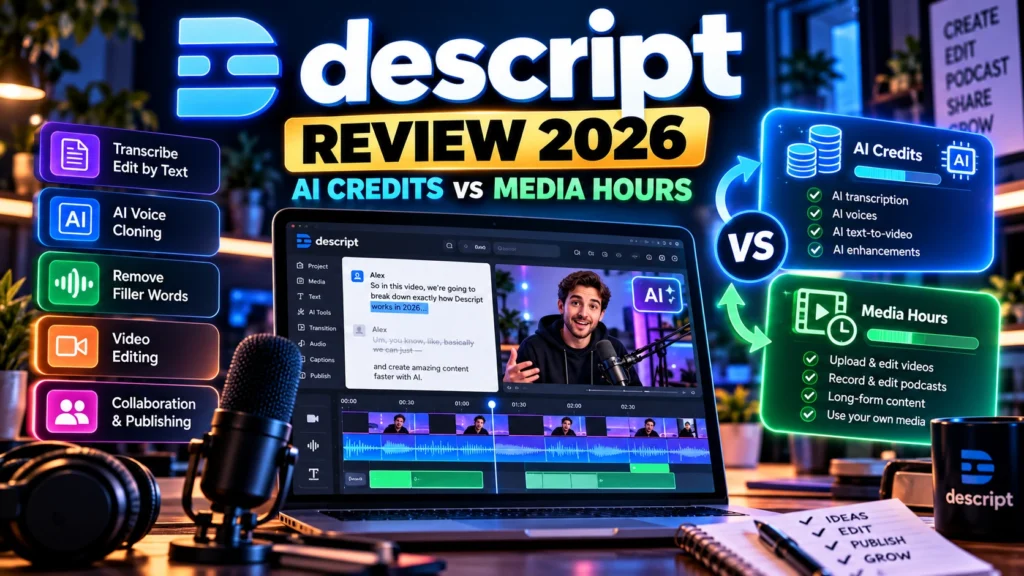
Descript AI credits vs media hours is one of the most important comparisons to make before paying for Descript. A plan can have plenty of AI credits but too little capacity for incoming recordings, or enough media hours while running short on AI features. Both allowances matter, and neither is the same as your final exported video length.
This Descript AI credits review explains how the two limits work, which tools consume each one, the allowances advertised on current plans and how to choose without paying for capacity you will not use. AIReviewDock has not purchased Descript or independently benchmarked its audio and video tools. This is a documentation-based buyer guide, using official information checked in October 2026.
Descript Review 2026: Quick Verdict
Best for: podcasters, video editors, educators and marketers who want transcript-based editing with optional AI assistance. Descript may suit a creator who spends less time manipulating a traditional timeline and more time cutting spoken content, improving sound and preparing clips.
Biggest buying consideration: media hours and AI credits are separate allowances. Uploading and recording material uses the media budget. Asking Underlord for assistance, applying AI effects or generating new media draws on the AI-credit budget. A plan with high limits in one area can still constrain your workflow in the other.
Our verdict: estimate a typical month of incoming recordings and AI edits, test one representative project, and review actual usage before committing to a paid tier. No plan removes the need to review captions, sound quality, generated clips, permissions and the final result.
What Are Descript Media Hours?
Descript uses media minutes as its technical accounting unit; pricing pages often express the same allowance as media hours. The budget applies when you import audio or video or record material within Descript, including screen recordings and Descript Rooms sessions. Still images count as one second of media time each under its published policy.
For example, if you import four 45-minute interviews, you have brought in approximately 180 media minutes, or three media hours. Cutting the finished edit into five-minute social clips does not make the original imported source only five minutes long. Plan around your recording and import workflow, not merely the length of your final exports.
A useful exception concerns multi-person Rooms recordings: Descript says a one-hour session with several participants uses one hour of media time, not one hour multiplied by the number of participants. Check the current product rules for any unusual processing steps or repeat imports.
Media hours do not measure how many hours you spend editing. A person can work on a short interview all afternoon without that editing time itself representing several hours of uploaded media. Included unused media minutes do not roll over into the next month on current plans.
What Are Descript AI Credits?
AI credits measure eligible operations performed by Descript’s AI tools. Examples listed in its documentation include Underlord, Studio Sound, Eye Contact, Green Screen, AI speech, dubbing, avatars and generated video. Some tools charge by duration or the amount of work performed; generative features can depend on the selected model and generated output. The most useful way to budget Descript AI credits is to count real editing actions and revisions rather than assuming every project of the same length costs the same.
These are not the same as media minutes. A short imported video might use relatively little media time but plenty of AI credits if you repeatedly test new voices, apply effects and create alternate generated clips. Conversely, a documentary editor might import many hours of footage and rely mostly on manual cuts.
The company’s official guide to media minutes and AI credits explains both budgets, tool costs, shared team allowances and the Usage screen. Its exact costs may change, so inspect the tool estimate inside your account before a large generation task.
Does Underlord Use Credits Just for Chatting?
Yes. Descript says chatting with Underlord can consume a small number of AI credits even when you are not explicitly running a named AI feature. If Underlord performs a task for you, its reasoning and the tools it invokes can use additional credits. That makes open-ended experimentation relevant to your monthly budget.
You can limit waste by writing a clear editing instruction, testing one small selection, reviewing the output and only then running similar actions on longer material. For a client workflow, include revision rounds when estimating AI usage. A polished final narration can require multiple generations even though only one version is delivered.
Descript also distinguishes AI features from ordinary transcript and timeline editing. Do not assume every click is charged AI credits, and do not assume every item described as an AI tool is unlimited. Verify the feature and model you plan to use on your selected tier.
Descript Pricing and Usage Allowances in 2026
The official Descript pricing page lists Free, Hobbyist, Creator and Business plans. Compare Descript AI credits alongside media-hour allowances, since a higher media limit alone may not cover frequent AI generation. Here is a snapshot of the published allowances checked for this review:
| Plan | Included media | AI credits | Illustrative use |
|---|---|---|---|
| Free | 1 hour | 100 one-time credits, per main pricing table | Try the editing workflow |
| Hobbyist | 10 hours/month | 400/month | Occasional recorded episodes or videos |
| Creator | 30 hours/month | 800/month | Regular content production |
| Business | 40 hours/month | 1,500/month | Higher-volume or collaborative production |
These are published plan figures, not a promise of future entitlements. Descript’s pages can display annual-equivalent monthly prices next to higher month-to-month prices. At the time of review, the site showed Hobbyist at $16 per person/month with annual billing or $24 month to month; Creator at $24 or $35; and Business at $50 or $65 respectively. Check the currency, taxes, seat count, annual commitment and current checkout before subscribing.
Free-plan credits have been described differently on different Descript pages, so the main current pricing table should take priority when you verify your own account. Some features, such as export resolution, watermark removal, top-ups and access to particular AI models, are also tier-specific. Do not select a plan from its credit number alone.
Descript AI Credits vs Media Hours: Three Realistic Workflows
Related voiceover pricing: If your project uses synthetic narration, our ElevenLabs Free vs Starter guide explains the separate commercial-use and voice-credit considerations. These are different products with different usage allowances.
1. Podcast editor importing long recordings
Imagine a podcaster who records six 50-minute episodes every month. That is roughly five media hours before counting any additional recordings or imported files. They mostly trim silence and arrange speech using the transcript, with occasional sound enhancement. Media time may become the more predictable bottleneck, while their AI budget depends on how much audio processing they actually request.
2. Short-form creator generating many variations
Another creator imports just 30 minutes of source video but produces several AI-generated scenes, voiceovers and alternate edits. This is a case where Descript AI credits may matter more than the media-hours allocation. Their imported media allowance may remain comfortable while AI credits run down. Their main planning question is how many generations and revisions they expect to make.
3. Small team sharing a Drive
Descript says eligible Editor seats add to a shared Drive pool of media minutes and AI credits. Multiple Editors can therefore consume the same available resources, whereas some other membership roles have different permissions. A team should check role eligibility and the combined usage pattern, not assume that every collaborator gets unlimited independent capacity.
None of these examples represents a controlled AIReviewDock benchmark. They illustrate how a two-budget system behaves when work habits differ.
How Much Do Specific AI Features Cost?
Descript documents example credit rates for generative media. At the checked reference rates, image generation can cost about 3–5 credits per image, text-to-speech roughly 5 credits per minute, dubbing about 15 credits per minute, and generated video around 8–24 credits per video. Model selection, task type and feature updates can change these values.
For a hypothetical one-minute narrated clip, the text-to-speech portion might use about 5 credits at that reference rate. Producing ten variants instead of one could multiply the generation budget. This arithmetic is a planning example, not a guaranteed invoice or an allowance for every voice model.
Some tools have specific minimum or maximum charges; others work differently. Always check the live tool estimate, particularly for generative video, avatars, dubbing and repeated Underlord requests. Track actual balance changes after your first few tests rather than planning solely from an advertised headline.
Do Unused Descript Credits or Media Hours Roll Over?
For the current standard plans described in Descript’s usage documentation, unused included media minutes and included AI credits do not roll into the next month. This can affect creators with irregular schedules: a quiet month does not create unlimited spare capacity for the following month.
Paid top-ups, where offered, may have their own rules. Descript’s documentation points customers to the Usage area for eligibility and purchasing more media time or AI credits. If Descript AI credits are your limiting factor, compare the cost of occasional extra capacity with the next plan tier before upgrading. Do not assume that every plan has the same top-up option, and check the applicable terms before buying extras.
How to Check Descript AI Credits and Media Hours
- Open Descript and go to your account’s Settings.
- Select the appropriate Drive, particularly if you work across teams.
- Open the Usage tab to review media minutes and AI credits.
- Compare the current balances with your remaining projects for the billing period.
- After using Underlord or a generative tool, check the balance again to understand the cost of that workflow.
A basic weekly worksheet is enough: project name, footage recorded/imported, AI effects used, number of generations, and remaining credits. With two or three weeks of real data, you can identify whether the right upgrade is more media hours, more AI credits, a different plan feature or a change to your workflow.
Descript Pros and Cons
Potential benefits
- Transcript-based editing can make spoken-content revisions easier to manage.
- Separate media and AI budgets help identify the exact category of resource use.
- Underlord and optional effects may reduce some repetitive tasks when used carefully.
- The official Usage tab provides a way to inspect your allocation during a billing cycle.
- Multiple tiers can serve solo creators and collaborative teams with different needs.
Limitations to consider
- Two different allowances are harder to budget than a simple unlimited editing subscription. Track Descript AI credits separately from recording and import time.
- Underlord conversations and performed actions can each consume AI credits.
- Included unused allowances do not roll over under the published current-plan rules.
- Generating and regenerating media can make costs less predictable.
- Availability of AI features, exports, top-ups and team permissions varies by tier.
This comparison is based on documentation and plausible creator workflows; it is not a firsthand software performance rating.
Who Should Choose Free, Hobbyist, Creator or Business?
Free: best for learning whether transcript editing and the interface fit your process. Test an actual short project and inspect limitations before paying.
Hobbyist: consider it if your import/recording workload is moderate and AI effects are occasional. Its ten media hours may be more important than its credit count for a recording-heavy creator.
Creator: a candidate when your work happens regularly and you need substantially more media allowance, AI capacity or certain advanced features. Check the exact tools you rely on.
Business: worth comparing for larger workloads or teams that need additional features and collaboration controls. Work out seat costs and shared usage instead of assuming a flat total for the whole company.
For related workflows, our guide to turning blog posts into videos explains another route to repurposing content. You can compare different approaches in the Blog2Vid review and our MorphStudio AI review; they are different products, not direct equivalents to every Descript feature.
8 Essential Checks Before Buying Descript
- Measure source material: How many minutes will you upload or record each month?
- List AI operations: Which effects, speech generation, dubbing or Underlord tasks will you actually use?
- Allow for revisions: How many times might a clip need regenerating before it is acceptable?
- Compare plan entitlements: Verify media hours, credits, export resolution and AI feature access together.
- Check billing frequency: Avoid confusing annual-equivalent prices with month-to-month checkout amounts.
- Inspect team requirements: Verify Editor seats, roles and shared Drive consumption.
- Test a representative project: Record actual changes in Usage, rather than trusting only projections.
- Review rights and privacy: Confirm your permission to upload material, use voices and publish output.
Frequently Asked Questions
Are media hours and AI credits the same thing in Descript?
No. Media minutes track uploaded or recorded material; AI credits track eligible AI-powered operations. You can run out of one while still having some of the other.
Does chatting with Underlord consume Descript AI credits?
Yes. Descript documents credit usage for chat interactions and additional charges when Underlord runs tools. Exact usage varies by model and action.
Can I edit a 30-minute recording using only a few media minutes?
Do not assume so. A 30-minute recording or import generally consumes media time based on its input duration, regardless of whether the final edit is short.
Can I buy extra Descript credits?
Descript describes top-ups for eligible plans. Availability and terms depend on your subscription; check your own Usage tab for live options.
Do unused monthly credits carry forward?
Descript’s current-plan guide says unused included AI credits and media minutes do not roll over. Separate top-up arrangements may differ.
Is Descript better than a traditional timeline editor?
It depends on your work. Transcript editing can be convenient for spoken material, but complex visuals, precise timing and specialized production needs may still require manual editing or other applications.
Has AIReviewDock tested Descript personally?
No. This review compares published plan terms and explains example workflows without claiming hands-on access, independent quality testing or guaranteed productivity gains.
Final Verdict: Which Descript Limit Matters First?
The right Descript plan depends on what happens repeatedly in your projects. Descript AI credits become especially important when you generate several versions of the same short clip, use Underlord frequently or apply multiple eligible AI effects. If you record and import large amounts of audio or video, measure the media-hours allowance first. If you rely on Underlord, generated speech, video and repeated AI edits, scrutinize the credit budget instead. Teams need to consider both shared usage and eligible Editor seats.
Start with one realistic project, monitor the Usage screen and choose the smallest plan that covers your normal workflow plus a reasonable revision margin. Pricing, feature access and credit costs can change, so confirm the current official terms before purchase.