
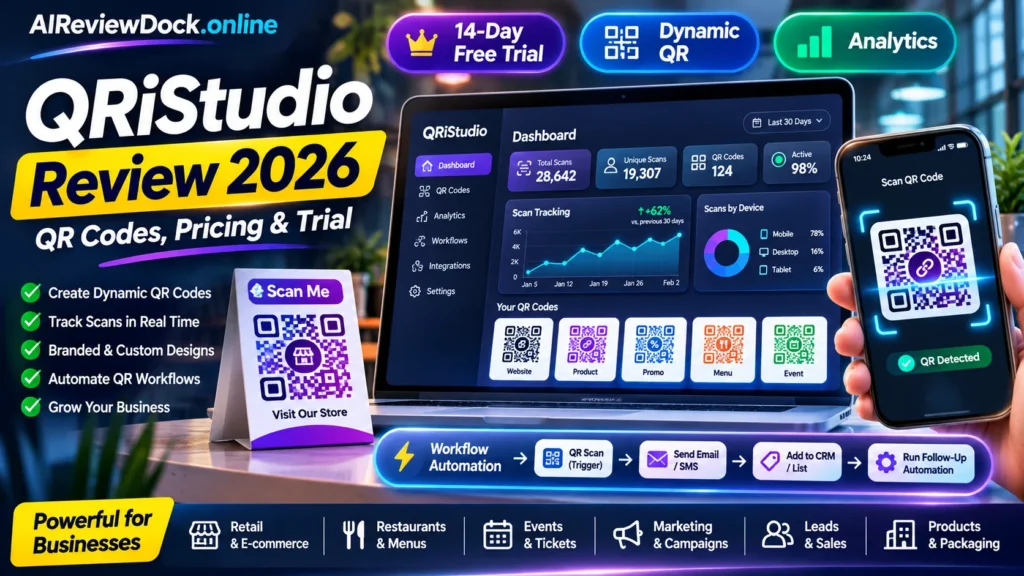
QRiStudio review 2026 — QRiStudio is a QR-code design, management and analytics service for businesses that want to connect printed materials with digital destinations. Its public site describes static and dynamic codes, scan metrics, customization, downloadable formats, ticketing and workflow triggers. While multiple QRiStudio subscription products appear on the November 11 JVZoo calendar, it is not a one-time AI-video launch. The practical purchase question is whether changing destinations, reporting scans and connecting workspaces justify an ongoing subscription over a simple static QR generator.
Editorial disclosure: This article is a documentation-based buyer review prepared November 11, 2026. No paid account or purchased license has been independently tested. Four CTA buttons link to the public vendor information page; an approved affiliate tracking link is not yet confirmed, and we do not promise earnings or search rankings.
QRiStudio review 2026: quick verdict and facts
| Factor | Current published information |
|---|---|
| Vendor | QRiStudio |
| Distribution | JVZoo listings and QRiStudio direct subscription |
| Price / trial | 14-day trial; advertised annual-billing equivalents $5.99 Starter, $11.99 Pro and $19.99 Enterprise per month |
| Testing | Vendor documentation reviewed; no purchased-account benchmark |
| Verdict | QRiStudio is worth considering when dynamic destinations, reporting and campaign integrations are part of a real business workflow. A static QR generator may be sufficient for simpler tasks. Use the 14-day trial to verify printed-code performance and cancellation terms before paying for a recurring plan. |
- QRiStudio public pricing page advertises a 14-day trial without a credit card.
- The trial is not an unlimited lifetime free plan; the FAQ says users need a paid plan to continue afterward.
- When billed yearly, site displays equivalent monthly Starter $5.99, Pro $11.99 and Enterprise $19.99; check the final annual charge.
- Dynamic QR codes let users change the destination after a code has been printed, subject to an active applicable plan.
- Vendor advertises PNG/JPG/SVG export, logo customization, scan analytics and multiple team workspaces.
- Workflow triggers may include scans, form submissions, ticket orders and integrations.
- Subscriptions renew automatically unless cancelled, per vendor FAQ.
What is QRiStudio and who is it for?
QRiStudio is a QR-code design, management and analytics service for businesses that want to connect printed materials with digital destinations. Its public site describes static and dynamic codes, scan metrics, customization, downloadable formats, ticketing and workflow triggers. While multiple QRiStudio subscription products appear on the November 11 JVZoo calendar, it is not a one-time AI-video launch. The practical purchase question is whether changing destinations, reporting scans and connecting workspaces justify an ongoing subscription over a simple static QR generator.
The strongest reason to choose an unfamiliar tool is that its real output solves a recurring task. A promotion may offer dozens of features, but the buyer should evaluate the core workflow first. In particular, look for transparent limits, usable exports, responsible data handling, clear licensing and reliable support.
QRiStudio review 2026: seven key features explained
1. Static and dynamic QR codes
Static codes embed information directly. Once printed, the target cannot easily be changed without replacing the code. Dynamic codes can direct a scan through a managed destination you update in the dashboard. That flexibility matters for menus, campaigns and customer support labels, but it may also depend on keeping the subscription active.
2. Scan tracking and analytics
A business may want to know which printed poster was scanned or how often a particular offer was opened. QRiStudio promotes real-time reporting, scans and analytics. Confirm which metrics your tier includes, how long history remains accessible and whether the platform can distinguish genuine engagement from repeat or automated scans.
3. Custom branding, logos and export
The vendor lists colors, shapes, logos and high-resolution PNG, JPG and SVG downloads. Design choices must not break scannability. Test with older phones and different printing conditions, including small labels, reflective surfaces and low lighting.
4. Workspace and team management
Paid tiers advertise shared workspaces and team members. For agencies, the critical issue is separation of customers’ QR codes and scan data. Check permissions, billing ownership and what happens when a team member leaves.
5. Scan-driven workflow automation
QRiStudio describes triggers for QR scans, form submissions, ticket purchases and campaign milestones, with potential connections to Sheets, Slack, HubSpot and email tools. Verify which connectors actually exist in the selected tier and what action requires consent or a paid plan.
6. Passcode and security controls
The pricing comparison includes secure redirects, encryption, passcode protection and single sign-on-related concepts. Security-sensitive features can vary by plan. Before putting internal files behind a QR code, inspect access controls and never treat an obscured URL as adequate authentication.
7. Business use cases and mobile access
The platform promotes inventory access, tickets, event check-ins, restaurant menus and retail packaging. It also advertises web and mobile management. Test your exact use case rather than assuming every example works in the lowest-cost tier.
QRiStudio review 2026: seven-step evaluation workflow
These seven steps are a practical buyer-test plan rather than a fabricated hands-on review. They help establish whether a tool fits your actual business or content-production requirements before adding optional upgrades.
Step 1: Decide whether you need dynamic behavior
A permanent link to a simple public document may need only a static QR code. A time-limited campaign, rotating promotion or restaurant menu benefits more from dynamic destinations and scan reporting.
Step 2: Create a trial workspace
Start the published 14-day trial. Review the interface, what it asks for, and what happens to your codes after the trial ends. Avoid using a production customer’s domain before understanding continuity.
Step 3: Generate a sample destination code
Use a harmless test URL and name the campaign clearly. If customizing colors and logo, preserve enough contrast and quiet space around the code.
Step 4: Test physical scan reliability
Print at the expected label size, then scan from multiple phones under different lighting. Confirm that scans reach the intended HTTPS destination quickly without unexpected intermediate pages.
Step 5: Change the destination after printing
For a dynamic code, update the target URL in the dashboard and rescan the same printed image. This checks the key product promise and whether destination updates are immediate.
Step 6: Check metrics and privacy
Inspect how scans appear in reporting, what identifiable device or location data may be collected and whether the privacy notice matches what the campaign actually does.
Step 7: Try a small automation
If your tier permits triggers, connect a non-sensitive Google Sheet or test notification and verify one scan produces one expected record. Review rate limits and error handling.
QRiStudio review 2026: pricing and optional upgrades
The current vendor listing states 14-day trial; advertised annual-billing equivalents $5.99 Starter, $11.99 Pro and $19.99 Enterprise per month. Prices, coupon windows and applicable taxes can change. Buyers should check the live checkout, product plan and renewals rather than assuming that every advertised feature comes with the smallest package.
| Offer | Advertised price | What it covers or needs checking |
|---|---|---|
| Trial | 14 days, no credit card reported | Vendor says paid plan needed after trial. |
| Starter | $5.99/month equivalent with annual billing shown | Check exact included static/dynamic codes and annual charge. |
| Pro | $11.99/month equivalent with annual billing shown | Higher limits and advanced options; verify live comparison. |
| Enterprise | $19.99/month equivalent with annual billing shown | Teams, higher quotas and advanced settings; check contract. |
| Monthly billing | Higher than quoted yearly-equivalent rates | Switch pricing toggle to obtain actual month-to-month cost. |
| Custom business plan | Quote on request | Organization-specific limits, invoicing and support. |
| Refund | 15 days for first purchase, per vendor FAQ | Confirm precise refund and renewal exclusions. |
A useful budget includes the software’s purchase price plus subscriptions, extensions, transaction charges, production costs and time spent correcting errors. A larger advertised bundle should not be purchased automatically. Choose the least expensive tier that can complete the relevant task safely and reliably.
QRiStudio review 2026: pros and cons
| Potential advantages | Limitations to verify |
|---|---|
| Clear business application for dynamic destinations and printed campaigns. | No permanent free plan is promised after trial. |
| Vendor publishes trial and plan comparison information. | Dynamic code behavior may depend on maintaining an active subscription. |
| Scan reporting and automation can connect offline and online marketing. | QR analytics cannot by themselves prove a sale or customer identity. |
| SVG output and branding support may help print workflows. | Quota, security and team features differ between plans. |
QRiStudio review 2026: three realistic use cases
Restaurant menu or table ordering
A restaurant can print one dynamic code on each table and update a menu without replacing physical stickers. QR analytics may show scan volume, but it should not be presented as a reliable count of customers or orders unless integrated with actual sales records.
Event tickets and access passes
For ticket check-in, the system must handle duplicate scans, invalid passes and offline entry problems. A QR code alone is not an anti-fraud system. Test what happens when a ticket is scanned twice or a device loses connectivity.
Retail packaging and promotion tracking
A seller can assign different QR campaigns to packages, flyers and storefront displays. Compare scanner traffic with real store conversions, respecting privacy and advertising consent. Avoid interpreting every scan as a successful lead.
QRiStudio review 2026: nine checks before buying
1. Long-term link continuity
Confirm what happens to existing dynamic QR destinations if a subscription expires or you downgrade. Document a test result and request written clarification for any feature or promise that the vendor has not specified.
2. Scan reliability
Test actual phone cameras, print sizes, light levels and materials before mass printing. Document a test result and request written clarification for any feature or promise that the vendor has not specified.
3. Privacy of scan analytics
Understand data collected, retention period and whether location or device records require disclosure. Document a test result and request written clarification for any feature or promise that the vendor has not specified.
4. Actual plan quotas
Check static/dynamic code limits, daily creation caps and monthly scans for your chosen tier. Document a test result and request written clarification for any feature or promise that the vendor has not specified.
5. Export and backup
Ensure you can export QR artwork, analytics and campaign records and retain your public landing pages. Document a test result and request written clarification for any feature or promise that the vendor has not specified.
6. Workspace permissions
Test team roles, client access and removal of former users. Document a test result and request written clarification for any feature or promise that the vendor has not specified.
7. Security and redirects
Verify HTTPS, passcode availability, domain control and redirect behavior on expired links. Document a test result and request written clarification for any feature or promise that the vendor has not specified.
8. Automation and integrations
Confirm whether Slack, Sheets and CRM integrations are available in the tier you want, including failures and rate limits. Document a test result and request written clarification for any feature or promise that the vendor has not specified.
9. Renewal and refund
Review the annual checkout, automatic renewal, cancellation timing and 15-day first-purchase refund conditions. Document a test result and request written clarification for any feature or promise that the vendor has not specified.
QRiStudio review 2026: who should buy and who should skip?
Consider this product if its principal workflow fits your existing needs, your budget covers realistic use and you can verify the output before acting on it. Skip the purchase when you cannot confirm billing, security, rights, usage limits or access. A time-limited launch promotion is not a reason to ignore those essentials.
For affiliate and marketing work, measure genuine business outcomes rather than screenshots: qualified visitors, accurate research, approved content and tracked conversions. A polished dashboard or keyword score does not itself create sales.
QRiStudio review 2026: alternatives and related resources
Related products on AIReviewDock.online: ReferralNow review and LinkSpectre tracking review. These serve adjacent but different workflows; compare the actual outputs, not just the promises in their sales copy.
Our separate educational guides on AIReviewDock.com: small-business workflow automation examples and data governance checklist. They explain relevant tracking, SEO and governance principles beyond individual product claims.
QRiStudio review 2026: frequently asked questions
Is QRiStudio free forever?
Its current pricing FAQ describes a 14-day free trial, after which a paid plan is required to continue. Do not confuse a trial label with a permanent free tier.
How much is QRiStudio Starter in 2026?
The yearly-billing display shows $5.99 per month equivalent. Confirm the billed annual amount or choose monthly pricing for a different rate.
Can I change a QR destination after printing?
The vendor promotes dynamic QR codes, which are intended to support changing destinations. Verify active-plan limits and redirect continuity.
Does QRiStudio track actual sales?
The platform tracks scan-related analytics; closed sales require matching to your checkout, POS or analytics system.
Can I export an SVG QR code?
QRiStudio advertises SVG and raster exports. Check export-resolution and plan restrictions.
Can agencies use QRiStudio for clients?
Paid plans offer workspaces and teams, but client permissions, custom domains and white-label terms must be confirmed for the selected subscription.
QRiStudio review 2026: final verdict
QRiStudio is worth considering when dynamic destinations, reporting and campaign integrations are part of a real business workflow. A static QR generator may be sufficient for simpler tasks. Use the 14-day trial to verify printed-code performance and cancellation terms before paying for a recurring plan.
This recommendation is conditional on actual results from a legitimate trial or purchase. Verify the current vendor documentation, refund terms and integration requirements. Neither estimated keyword traffic nor reported campaign metrics can guarantee outcomes.
Sources and editorial methodology
Sources checked on November 11, 2026: vendor product information and Official QRiStudio pricing and plan comparison. Product claims are attributed to their sources and have not been presented as independent performance testing.