
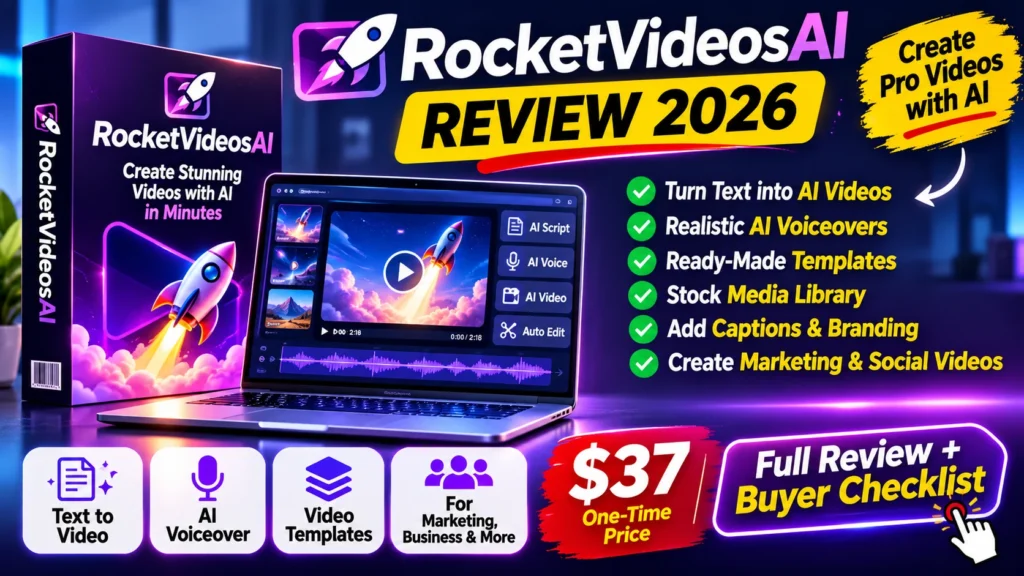
RocketVideosAI review 2026 — quick verdict: RocketVideosAI is an AI-assisted video creation product marketed for making short social videos with scripts, characters, images, narration and music. The public JVZoo listing identifies a $37 Commercial front-end offer, but that does not establish the rendering credits, maximum video length, available tools or complete operating cost. It is worth examining for marketers who routinely create short video content, provided they confirm output quality and checkout details first.
This is an independent buyer-focused review, updated October 31, 2026. RocketVideosAI originally launched in April 2025; it is not a new October 2026 launch. We examined the public product page, JVZoo listing and checkout information. We did not purchase the software or conduct a verified hands-on rendering test. Therefore, the features below are seller descriptions, not performance claims from our own testing. Affiliate disclosure: we may earn a commission from purchases through the four offer buttons on this page.
What Is RocketVideosAI?
RocketVideosAI is marketed as a guided video production suite that turns topics or prompts into a sequence of editable assets. Its official sales page advertises AI content writing, image generation, character creation, storyboards, voiceovers, background sounds, music and a video generator. It also promotes use across more than 60 languages. These are the vendor’s descriptions; feature access may differ among plans and upgrades.
For a business, the useful question is not whether the page can generate a clip from one keyword. It is whether the tool can reliably make videos that respect product facts, brand style, platform requirements and your available editing time. A flashy demonstration may not reveal the number of revisions, export limits or corrections required for a usable final video.
RocketVideosAI Review 2026: Key Advertised Features
1. Script and idea generation
The sales page presents an AI content-writing workflow. In practice, test whether an output can follow your preferred video length, target audience, call to action and factual constraints. Provide a real product brief and compare the draft with an independently written script. A useful video generator should make corrections easy, not just create a first draft quickly.
2. AI-generated images and characters
Image and character creation can help marketers who do not have filming resources. However, character consistency matters if the same presenter appears in several scenes. Test identity, clothing, expressions and physical details between shots. We could not independently verify whether consistent characters, reference-image controls or premium media assets are included in the base license.
3. Storyboard and scene planning
A storyboard helps organize scenes before rendering. A practical test uses a product with three to five important selling points and asks the tool to convert them into a short sequence with a clear beginning, evidence and conclusion. Check whether moving, removing or revising a scene changes the whole project or only the selected shot.
4. Narration, audio and multilingual production
The vendor advertises voiceovers, music, sounds and multilingual output. Those may be convenient, but available languages do not guarantee native-level pronunciation, natural pacing or correct accent choices. For commercial use, verify the licenses of voice and music assets and obtain consent before using a person’s likeness or cloned voice.
5. Social-ready video output
RocketVideosAI positions the resulting clips for short-form social content. Check supported aspect ratios, frame rates, export resolution, watermarks, subtitle positioning and maximum video duration. If you produce Reels, Shorts and TikToks, export the same project in each intended format and inspect the captions on a mobile screen. The public listing alone does not establish every export option.
RocketVideosAI Pricing: $37 Front End vs $297 Bundle
JVZoo’s current public Commercial affiliate information page lists a $37 sale price. A separate JVZoo bundle checkout has displayed a $297 single payment. These are different products in the offer funnel, so the $37 entry price should not be treated as the cost of every feature advertised elsewhere. Confirm the current checkout price and taxes before ordering.
| Item | Publicly listed information | Verify before purchase |
|---|---|---|
| Commercial front end | $37 single payment shown on JVZoo | Taxes, credits, export limits and license scope |
| RocketVideosAI Bundle | $297 listed on a separate JVZoo checkout | Exact upgrades and whether the bundle replaces the base purchase |
| Optional Rocketplayer Agency | $9.95/month optional add-on shown on checkout | Recurring billing, checkbox selection and cancellation |
| Video creation | Scripts, AI imagery, characters, storyboards, voiceovers, audio and video | Rendering length, output quality, supported languages and credits |
| Refund handling | 30-day vendor-managed return policy displayed for the bundle | Terms for the specific item and any separately billed upgrades |
The commercial checkout has also displayed an optional $9.95 monthly Rocketplayer Agency offer. An optional recurring add-on is different from the base Commercial purchase. Watch the quantity and frequency of each line on the final payment page; do not assume that every checkbox is part of the $37 price. Some bundles and optional upgrades could alter the final total. Offer terms can change after this review is written.
For buyers worried about credits and hidden costs, our AI video credits explainer shows how to compare per-render costs, retries, exports and premium asset fees. Ask the vendor for a written plan-by-plan limit table if the sales page does not answer those questions.
Commercial License: What Does It Actually Allow?
The word Commercial in a product name is not a complete legal license. Before using RocketVideosAI for a client, check whether paid advertisements, white-label delivery, agency projects, resale of final clips, sublicensing, stock-media usage and audio assets are all covered. Also confirm whether using purchased templates or an exported video outside the platform changes the license.
If you plan to publish realistic synthetic faces, voices or events, platform disclosure rules may apply. Our YouTube AI content disclosure guide explains when realistic altered content needs labeling. This matters independently of any software vendor’s commercial-use promise.
7 Buyer Checks Before Purchasing RocketVideosAI
- Confirm the exact edition: record whether the checkout says Commercial, Pro, Monthly or Bundle. A feature shown in a demonstration may belong to an upgrade.
- Ask for rendering limits: verify credits, generated clip duration, queue speed, export resolution, revision allowance and watermarks for your edition.
- Inspect the full checkout: check any recurring Rocketplayer, team or hosting add-on before completing payment.
- Review the license: verify commercial publishing, client services and the rights attached to stock music, voices and generated likenesses.
- Test actual production tasks: compare two videos from the same brief, including subtitles, voice pronunciation and character consistency. Avoid making a paid campaign depend on a single demo.
- Read the refund terms: check the vendor-specific return policy for each product and keep proof of what was promised. Refund rights may differ between the base and upgrades.
- Compare alternatives: decide whether you need a generator, a text-to-video editor, or a workflow for converting existing scripts into clips. More features are not always better.
How to Evaluate RocketVideosAI Without Risking a Client Campaign
Start with a fictional or non-sensitive example. Prepare a 30-second video brief for a made-up cafe promotion, with a stated target audience, offer, safe visual style and clear script. Generate a small set of scenes and record how many attempts it takes to reach an acceptable result. Then check the pronunciation of the offer, placement of captions and whether the images preserve key details between scenes.
For a meaningful comparison, track total working time from brief to export, not only rendering speed. Include fixes to text, cropping, video pacing, stock asset permissions and the time required to make an accessible version. Repeat the process with a simple alternative editor. This evaluation plan is a recommendation, not a claim that our team completed those tests.
Pros and Cons
Potential benefits
- One advertised workflow includes writing, visuals, characters, audio and scene planning.
- Short-form social video production is the primary intended use case.
- The $37 Commercial entry offer may be approachable for buyers who need its specific included features.
- A possible commercial license could be useful to agencies, subject to the actual licensing terms.
Limitations and concerns
- We could not independently verify real video quality, character consistency or support response times.
- Plan distinctions and multiple upsells may complicate the true cost.
- Credit limits and premium feature availability require verification in the account or license.
- Voice, music and likeness rights are separate from the basic software purchase.
- Because the product launched in April 2025, check its present maintenance, updates and compatibility before relying on old demonstrations.
- A 30-day refund term shown on a checkout is vendor-managed and should be checked for the specific version purchased.
RocketVideosAI vs Pictory and ViralForge
The closest alternative depends on what raw material you already have. If you want to turn a script or article into edited social videos, consider our Pictory AI review for a tool with a different workflow and subscription-style limits. If your goal is directing multi-scene AI films rather than short social variations, our Filmoyo review examines that distinct film-making workflow. Those comparisons describe buying considerations, not independently measured performance rankings.
Choose a product only after you know the source of your content: a product photo, a written script, an article, existing footage or an AI-generated scene. Then compare credits, commercial-use permissions, editing control, multilingual voice quality and export quality on the same test brief.
Frequently Asked Questions
Is RocketVideosAI a new 2026 release?
No. JVZoo records the product’s original launch in April 2025. This is a 2026 buyer’s review of an existing offer, not a newly launched tool.
Does RocketVideosAI cost only $37?
The Commercial front end has been listed at $37. Other bundle and monthly add-on offers exist, so your total depends on the edition and optional items you choose.
Are all RocketVideosAI features unlimited?
Do not assume that. The public feature overview does not provide an independently verified set of current per-plan credit, render or export limits. Check the specific package and written terms before purchasing.
Can RocketVideosAI videos be sold to clients?
The product is advertised with a Commercial license, but resale, agency and stock-asset permissions must be confirmed from the actual license for your edition. Commercial use does not automatically mean redistribution or white-label rights.
Does RocketVideosAI include a refund guarantee?
Some JVZoo checkout information displays a 30-day vendor-managed return policy. Confirm the version-specific refund requirements, exclusions and refund contact during checkout.
Will RocketVideosAI guarantee views, income or viral videos?
No. Producing a video does not guarantee viewer interest, ad results, business sales or platform approval. Avoid judging the product solely by marketing claims about viral reach.
Final Verdict: Should You Buy RocketVideosAI in 2026?
Our editorial verdict: RocketVideosAI is a candidate for marketers who need an AI-assisted short-video workflow and are willing to check output quality before using it for real campaigns. The advertised range of creative stages is appealing, but the $37 Commercial price is only one part of the purchasing decision. Unclear included limits, optional recurring add-ons and licensing details make a careful review of the checkout essential.
Buy only if the current edition covers your required video length, language, resolution and usage rights at a cost that fits your workflow. If you mainly need to repurpose existing content, compare a dedicated editor instead of paying for video-generation features you may rarely use. This review does not claim hands-on testing, endorsement or verified ROI.
Review disclosure: We may earn an affiliate commission when readers buy through the offer buttons. Product information was reviewed on October 31, 2026 using seller and JVZoo pages. Prices, credits, upgrades, licensing and policies may change. Product visuals and claims are seller-provided; we have not independently tested RocketVideosAI. This article is informational and makes no promise of financial or marketing results.