
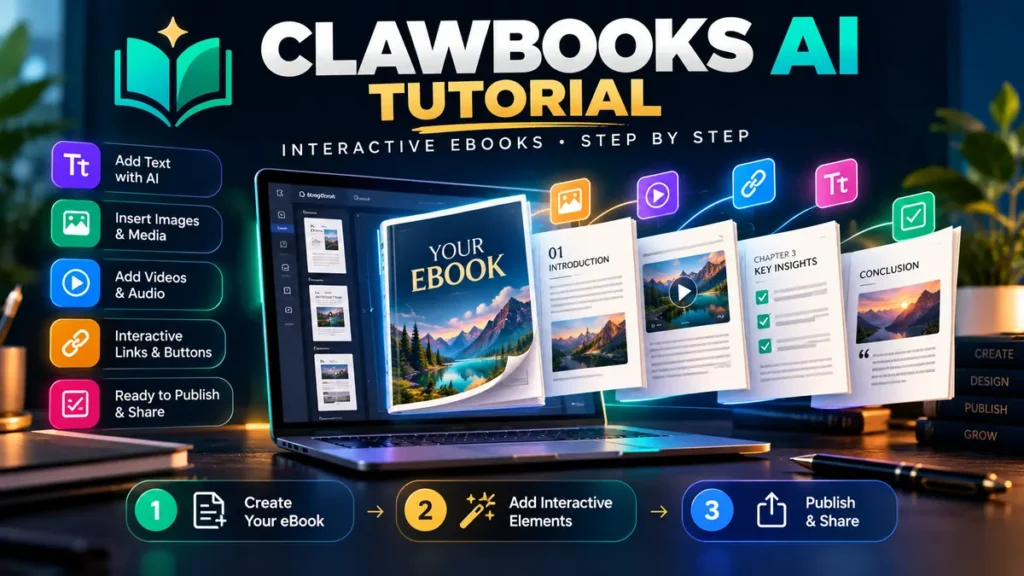
ClawBooks AI tutorial 2026: Creating an interactive eBook requires more than asking a tool to write ten chapters. You need a clear reader goal, trustworthy source material, an accessible structure, working media, a usable export and rights that match how the book will be shared. This guide gives beginners a repeatable production checklist for the ClawBooks AI workflow advertised by its seller.
Disclosure: Some buttons below are affiliate links; AIReviewDock may earn a commission at no extra cost to you. This is an instructional workflow based on the product’s advertised capabilities and general publishing best practices, not a claim that we operated every screen of a paid ClawBooks account. Exact menu names, plan allowances, formats and integrations must be verified inside your licensed dashboard.
ClawBooks AI Tutorial: What Will You Create?
For this walkthrough, imagine a US real-estate consultant producing a 12-page interactive First-Time Homebuyer Checklist. A good version gives visitors practical steps to prepare for a mortgage conversation, short explanations, a simple checklist and one clearly labeled contact form. This example is educational, not individual financial advice.
You can adapt the same process to a fitness studio’s starter handbook, a consultant’s service brochure, a workshop workbook, a business product catalog or a client onboarding guide. The strongest publication is organized around a real question the reader wants answered.
Before You Start: A 5-Minute Preparation Checklist
- Audience: First-time homebuyers researching basic preparation.
- Outcome: Explain the steps, definitions and questions to ask a lender.
- Source files: Your verified outline, brand colors, approved logo and original images.
- Output: A shareable interactive publication, plus a portable backup if the licensed tier supports export.
- Success measure: Readers can follow the guide on mobile and understand its next action.
Remove private contact records, client financial information and copyrighted third-party materials before uploading anything into an AI system. Use approved marketing copy only, and distinguish facts from illustrative examples.
Step 1: Define a Specific Interactive eBook Topic
A vague topic such as “everything about real estate” makes weak AI output likely. Narrow the assignment to one reader, one problem and one useful result. For our example, the working title is “First-Time Homebuyer Preparation Checklist: Questions to Ask Before You Shop.”
Write a short brief containing your reader’s knowledge level, intended length, preferred tone, required sections and any prohibited claims. The brief is more valuable than a long list of buzzwords because it gives the drafting process a measurable purpose.
Step 2: Collect and Verify Source Material
The vendor advertises ways to work from a topic or existing source material such as documents and web inputs. Which import options are available may vary by tier. When a feature asks for a PDF, URL or pasted text, supply a clean, owned or licensed source rather than random search results.
For this example, build a source folder containing an approved homebuying outline, any business-specific contact information, and official links for facts such as lending terminology. Mark figures that could change—fees, rates, qualification standards—as requiring a fresh check before publication.
Quality rule: Do not ask a generative tool to invent current mortgage rates or quote local laws without verified sources. A polished layout does not make unsourced facts reliable.
Step 3: Draft the Book Outline Before Generating Pages
A practical 12-page outline might include: cover; who this guide is for; budget questions; lending terminology; the document checklist; questions for a lender; viewing a home; inspection basics; common mistakes; a review worksheet; key takeaways; and the contact page.
Keep one main topic per section. Use descriptive headings, short paragraphs and a brief action at the end of each chapter. This helps both AI generation and readers who skim on phones.
Step 4: Generate a First Draft in ClawBooks AI
Once you have access to the product, locate the publication-creation workflow that your plan provides and supply the brief and source material. The seller advertises AI-assisted drafting and interactive book generation, but button labels may differ, and a single prompt may not produce a ready-to-publish book.
Try this editable brief rather than making an unsupported claim about the platform’s exact buttons:
Create a clear 12-page beginner guide titled “First-Time Homebuyer Preparation Checklist.” Audience: US adults preparing their first lender conversation. Use plain English, 80–150 words per page, short headings, a checklist, and clearly labeled placeholders for facts needing verification. Do not invent rates, approvals, laws or customer testimonials. End with a helpful, non-pushy contact invitation.
Review every generated section against your original outline. Delete invented details, repetitive filler, unsupported statistics and claims that are not appropriate for your audience. Treat AI-generated text as a draft, not the final authority.
Step 5: Choose a Template and Apply Your Brand
Vendor material describes templates and a visual editing workflow. Choose a layout that keeps type readable and has enough whitespace; a complex, animated template is not automatically more professional.
For a simple brand system, use navy #111827 for major headings, teal #07875F for buttons and section accents, white #FFFFFF for reading surfaces, and gray #64748B for supporting text. These are optional editorial suggestions, not official ClawBooks brand colors.
Use a consistent cover, page heading, list style, image treatment and call-to-action. Keep contrast high, avoid tiny text and leave space around interactive controls for touch input.
Step 6: Add Interactive Features Only Where Helpful
ClawBooks marketing highlights interactive elements such as links, videos, lead forms, QR codes and media. Availability and limits differ by purchase tier, so confirm each item before planning a deliverable around it.
| Feature | Useful example | Check before release |
|---|---|---|
| Clickable link | Official checklist or glossary | Destination is current and trustworthy |
| Short video | 60-second explanation of an inspection | Loads on mobile; captions available |
| QR code | Printed handout linking to your guide | Scans correctly and has stable URL |
| Lead form | Request a consultation | Consent, privacy notice and reliable delivery |
| Download | Printable worksheet | File opens on different devices |
Every interactive element should make the book more useful. Avoid placing contact forms between sections when the reader has not yet received the promised information.
Step 7: Proofread, Test and Check Accessibility
Read the entire publication once as if you were the audience. Then inspect the mobile version. Verify text hierarchy, contrast, keyboard access where supported, image alternatives, link descriptions, video captions and that a form can be submitted without confusing errors.
Ask someone unfamiliar with the project to complete three tasks: find the checklist, answer a question from the chapter, and reach the next-step contact information. Record the exact friction they encounter. That small test is stronger evidence of usability than the number of features a product advertises.
Before choosing an export: Our interactive eBook vs PDF vs EPUB guide compares important distribution and accessibility trade-offs. For another AI-assisted book-production approach, see the BookPilot review.
Step 8: Export, Publish and Create a Backup
ClawBooks promotes sharing or publishing interactive books, but do not assume every plan exports EPUB, standard PDF, print-ready PDF and a reusable source file. These are different formats with different destinations.
If you intend to publish on Amazon Kindle Direct Publishing, review KDP’s supported ebook manuscript formats. Amazon lists EPUB, DOC/DOCX, KPF and other accepted formats under specific conditions. An interactive hosted web book is not automatically an uploadable Kindle manuscript.
Save a version of your verified text and original images outside the platform. A portable backup prevents a hosted service, changed license or discontinued integration from becoming your only copy of the work.
Step 9: Track Results Without Guessing About Earnings
Count meaningful outcomes: visits to the publication, percentage of visitors opening the worksheet, qualified inquiries and reader feedback. A higher click count does not automatically mean a better publication if people cannot find accurate answers.
If your business uses a lead form, store consent properly, limit access to submissions and avoid sending unrequested follow-up campaigns. The product’s commercial license does not replace privacy or consumer-protection obligations.
ClawBooks AI Commercial vs Bundle: Which Tier Fits This Tutorial?
The seller’s previous launch information has listed a Commercial starting offer and additional Enterprise, template, lead-generation, white-label and done-for-you upgrades. Prices vary by promotion and checkout. For a small, independently branded guide, the entry tier may suffice if it includes the generation, sharing and export capabilities you actually need.
A full Bundle or agency upgrade makes sense only if you need multiple paid features and can identify what each one replaces. Before buying, check generation allowances, source import types, template libraries, export options, publication hosting, client rights, refunds and current checkout totals.
You can read a more detailed pricing-oriented explanation in our separate ClawBooks AI pricing comparison. That companion article examines purchase tiers; this tutorial focuses on producing a useful publication.
Common Mistakes When Creating an AI eBook
- Publishing raw AI output: Check all claims, examples and sources first.
- Overloading each page: Break paragraphs into readable sections and clear visuals.
- Assuming all formats are interchangeable: Verify whether the result is a web book, PDF, EPUB or something else.
- Buying upgrades before testing: Confirm the core workflow before paying for extra tools.
- Ignoring credit limits: Measure how much one complete publication costs in your chosen tier.
- Skipping mobile testing: Open every page and action on a phone, not only a desktop.
- No backup strategy: Keep your approved text and media in portable formats.
Frequently Asked Questions
Can ClawBooks AI write an entire eBook automatically?
The vendor advertises AI-assisted publication generation. The useful standard is whether you can verify facts, edit structure, correct mistakes and produce the format your audience needs. Full automation should never replace editorial review.
Is ClawBooks AI good for beginners?
The advertised templates and visual tools may reduce layout work, but first-time users should test one small project and verify the actual dashboard and plan limits before committing to client deadlines.
Can I sell books created with ClawBooks AI?
Check the exact commercial-use license, restrictions for client work and rights to source material and images. Commercial publication rights do not automatically authorize reselling the underlying software.
Can I upload a ClawBooks interactive book to Amazon KDP?
Only if you can export or convert it to a format that meets KDP’s current requirements. A live hosted interactive link is not, by itself, a Kindle ebook file.
Do I need the full ClawBooks Bundle?
Not necessarily. List your must-have features and buy the smallest current tier that meets them, after confirming the refund policy and generation allowance.
Final ClawBooks AI Tutorial Checklist
Start with a clear reader problem, prepare reliable source material, generate a structured draft, edit every page, add useful interactivity, test on mobile and confirm your final output format. The result should be judged by reader usefulness—not how quickly the initial draft appeared.
For more buying context, see our Unlimited AI review on software claims and generation limits.