
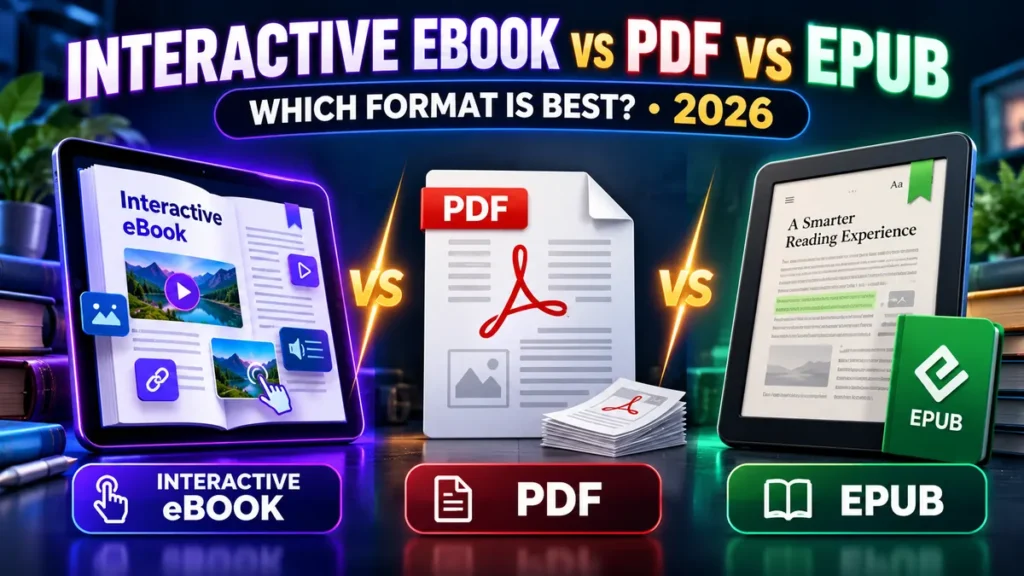
Interactive eBook vs PDF vs EPUB: Choosing the wrong format can turn a polished publication into a frustrating download. A clickable web publication may look impressive on a phone but fail a Kindle upload. A beautiful fixed-layout PDF may work well as a printable brochure while being difficult to read on a small screen. An EPUB ebook can adapt to a reader’s font preferences, but complex interactive widgets may not work across devices.
This 2026 guide compares the three approaches for US authors, educators, marketers and small businesses. It covers practical use cases, accessibility, Amazon KDP compatibility, portability, reader experience and the questions to ask before paying for an AI ebook creator.
Interactive eBook vs PDF vs EPUB: Quick Answer
Choose an interactive web book when the reader should click links, watch an embedded video, fill a form or explore a hosted digital catalog. Choose a PDF when print layout, business handouts or exact page appearance matter. Choose EPUB when you need a standard ebook format designed to adapt text to reading devices and adjustable font sizes.
None is inherently better for every job. The right choice depends on the destination and reader—not the format a software sales page calls “the future of publishing.”
What Is an Interactive eBook?
An interactive ebook is a digital publication that can go beyond static text by supporting links, multimedia, quizzes, videos, contact forms or other actions. The phrase describes a reader experience, not one universal file standard. Online course builders are a separate category; our AI Teachify review examines AI-assisted lessons, quizzes and course-delivery claims rather than ebook formats.
Some products create hosted pages accessed through a URL. Others export an EPUB containing supported multimedia or a PDF with basic links and forms. These formats behave differently. A hosted experience may offer rich interactivity but require internet access and continued service availability.
If a product offers an “interactive ebook,” ask what the actual output is: a public website, a shareable viewer link, an HTML package, an EPUB file, a PDF, or some combination. That answer determines where the content can be published and how safely you can keep a backup.
What Is a PDF Ebook?
PDF means Portable Document Format. It preserves the fixed layout of a page, so typography and diagrams remain in predictable positions. This is useful for a workbook, printable checklist, legal handout, brochure or product catalog.
The weakness is responsiveness. A reader on a phone may need to zoom and scroll sideways if the PDF was designed for full-size paper. Interactive elements can vary in support across readers, so basic clickable links are generally more portable than relying on embedded scripts or complex forms.
PDFs can have accessibility tags, a reading order, bookmarks and selectable text. However, these features do not appear automatically in every exported file. Check them as part of your publishing workflow.
What Is an EPUB Ebook?
EPUB is a widely used ebook format designed for reading software and devices. Reflowable EPUB content adapts to screen size, text size and user font preferences, making it well suited to books with prose and chapters. Fixed-layout EPUB also exists, but its compatibility and reading experience differ.
EPUB can package text, images, navigation and metadata. Some advanced interactive features are possible in parts of the standard, but their practical support varies by retailer, device and reading app. Do not assume a widget in your web book will survive EPUB conversion.
For Kindle publishing, Amazon KDP officially lists EPUB among supported ebook manuscript formats and recommends validating converted files with Kindle Previewer. See KDP’s supported ebook file-format guidance.
Interactive eBook vs PDF vs EPUB: Comparison Table
| Feature | Interactive web ebook | EPUB | |
|---|---|---|---|
| Best for | Lead magnets, catalogs, online training | Worksheets, brochures, print-ready documents | Retail ebooks and comfortable long-form reading |
| Screen adaptation | Depends on responsive viewer | Usually fixed-layout | Reflowable EPUB adapts well |
| Video and forms | Often possible in a hosted viewer | Limited or inconsistent | Not reliably portable across retailers/readers |
| Offline use | Depends on hosting and export options | Usually easy after download | Usually easy in a compatible reader |
| Printing | Depends on export tool | Strong fit | Usually not the primary format |
| Amazon KDP ebook upload | Not directly as a hosted web link | Accepted subject to KDP restrictions | Supported with required specifications |
| Vendor lock-in | Potentially higher for proprietary hosted viewers | Low for standard downloadable documents | Generally portable standard |
| Reader accessibility | Depends on implementation | Requires tagged, tested PDF | Can support flexible fonts and navigation |
These are practical tendencies, not technical guarantees for every file, viewer or publisher. File quality and accessibility depend on how it was authored and tested.
Which Format Should You Use for Amazon KDP?
Evaluating book-building software: The KDP Master review covers claimed features, export limitations and publishing decisions for AI-assisted books.
For a reflowable Kindle ebook, EPUB, DOC/DOCX and KPF are common authoring choices. Amazon’s ebook formats guidance distinguishes their conversion behavior and device support. KPF, produced with Kindle Create, is useful for certain Kindle publishing workflows.
PDF can be uploaded as an ebook manuscript under KDP’s stated language and conversion conditions, but a complex fixed-layout PDF may not provide a comfortable Kindle reading experience. Amazon recommends previewing files to catch problems. A print paperback interior has different format requirements; consult KDP’s paperback manuscript file guidelines separately.
If your goal is an interactive hosted lead magnet, do not buy a tool solely because its sales page mentions “books” or “Kindle.” Verify that it exports a suitable EPUB, DOCX, KPF or supported manuscript format and that you can meet KDP’s content and quality rules.
Which Format Is Best for a Lead Magnet?
For an email lead magnet, a good PDF is often enough: it is familiar, downloadable and straightforward to keep. An interactive hosted guide can improve the experience when visitors need embedded tutorials, clickable product cards or step-by-step forms.
But a hosted viewer introduces dependencies: uptime, form data handling, link stability, mobile usability and the provider’s continued operation. For many small businesses, offering both a public web experience and a printable PDF is a practical combination.
Keep the conversion goal narrow. A useful checklist with one relevant contact action may convert better than a highly animated experience that distracts from the reader’s problem.
Which Format Is Best for an Online Course?
An interactive web publication is helpful when lessons use video, quizzes and progress-oriented navigation. PDFs work well for worksheets and reference handouts. EPUB is helpful if participants need an offline, book-like reader experience.
Consider a blended approach: main lessons in your learning platform, brief PDF exercises for printing and an EPUB companion guide for deep reading. The format should support the lesson, not replace clear teaching.
How to Convert a PDF to EPUB Without Damaging the Layout
Direct PDF-to-EPUB conversion can be messy because the PDF’s layout may not contain the structural meaning a reflowable ebook needs. Headings may become plain text, columns may appear in the wrong order, and images may detach from captions.
A safer workflow is to recover or maintain the original editable document, apply semantic headings, use simple tables, add image descriptions, create a logical table of contents and export to EPUB. Validate and inspect the result in Kindle Previewer or other target-device previews.
- Start from DOCX, Markdown, HTML or another editable source when possible.
- Replace manual spaces and visual hacks with true headings and paragraph styles.
- Use simple single-column layout for a reflowable edition.
- Rework complex charts and tables for smaller screens.
- Check links, footnotes, images, alt text and the reading order.
- Generate EPUB, validate it and inspect on several screen sizes.
Never assume the exported file looks correct simply because the conversion software reported “success.”
How to Make an Accessible eBook
Accessibility is not a decorative extra. Readers may depend on screen readers, adjustable fonts, clear headings, keyboard input and descriptive link text. Each format has different technical controls, but the same editorial principles apply.
- Use one clear document title and a logical heading hierarchy.
- Write meaningful alternative text for informative images.
- Keep contrast strong and avoid conveying information through color alone.
- Add captions or transcripts for important video and audio content.
- Describe links by purpose rather than using “click here” repeatedly.
- Check navigation with keyboard or assistive reading tools where available.
- Test the exact exported file, not just the editor preview.
A polished visual design can still be difficult to use if reading order, font size or interactive controls are poor.
Choosing an AI eBook Creator: Ask These 10 Questions
- What actual file types can I download: PDF, EPUB, DOCX, HTML or none?
- Does the entry plan include exporting, or is that a paid upgrade?
- Can I export without watermarks or proprietary branding?
- Will a shareable web link continue working if I stop subscribing?
- Can I retain an editable source file and all original media?
- Are embedded videos and forms available only in hosted publications?
- Does the commercial license cover client projects or resale?
- Can I meet the destination retailer’s manuscript requirements?
- How are AI credits and image generations counted?
- What refund, data export and shutdown terms apply?
These checks matter for products advertised as “all-in-one” ebook tools. Our ClawBooks AI tutorial applies many of them to a hypothetical interactive homebuyer guide. That article describes an editorial workflow, not an independently verified KDP-export test.
Real-World Examples: Match the Output to the Goal
Example 1: Fitness studio starter guide
For a five-page printable welcome guide, a mobile-friendly PDF with a download link may be simpler than maintaining a custom hosted reader. If the guide needs demonstration videos and class booking, a web experience plus PDF backup may be better.
Example 2: Independent author selling a novel
For long-form reading on Kindle devices, a correctly formatted EPUB or an appropriate KDP-supported manuscript format is usually a more direct route than a web-book viewer.
Example 3: Real estate agency catalog
For a frequently updated property catalog, a hosted interactive publication may allow rapid link and image updates. Provide a clear printable PDF alternative if clients need offline reference, and remove outdated listings promptly.
Example 4: Teacher producing worksheets
PDF can preserve diagrams and print layout for classroom handouts. An EPUB companion may support adaptive reading, while a web lesson can handle quizzes or additional media.
PDF vs EPUB vs Interactive Ebook: Total Cost Comparison
A cheap tool is not necessarily the cheapest production system. Compare software fees, AI generation costs, editing hours, design fixes, hosting, storage and future updates. A web viewer requiring monthly hosting can cost more long-term than a reusable EPUB export; a complicated EPUB workflow may cost more up front than a simple PDF.
| Production factor | Budget question |
|---|---|
| Authoring | Can you edit the source without repeating generation fees? |
| Design | How long does mobile/print QA take? |
| Distribution | Do you pay for the platform, store or file hosting? |
| Updates | Can one correction reach every published copy? |
| Ownership | Can you migrate the content if the provider closes? |
Keep a clear source-of-truth folder for your manuscript, images and licenses. A change in software provider should not require writing your publication again from scratch.
Frequently Asked Questions
Is EPUB better than PDF for reading?
For prose on changing screen sizes, reflowable EPUB often provides a more flexible experience. PDF is stronger when exact page appearance or printing matters.
Can an interactive ebook be uploaded directly to Kindle?
Not simply as a hosted web link. You need a supported manuscript format that meets KDP requirements, and complex web interactivity may not transfer.
Can PDF files have clickable links?
Yes. Many PDF readers support ordinary hyperlinks and internal document links. Advanced interactive features vary by viewer, so test them before depending on them.
Can AI make an EPUB automatically?
Some authoring services can export EPUB, but support, quality and rights vary. Validate the output and manually check typography, metadata, chapter navigation and images.
Does EPUB always support video or quizzes?
No. Support for embedded media and scripting depends on the reading system and distributor. Do not treat browser-style interactivity as universally portable.
What format should I sell to readers?
Follow your selling platform and audience’s reading habits. Many independent sellers provide EPUB for reflowable reading and PDF for print-style reference, with appropriate rights and customer support.
Final Verdict: Choose the Reader Experience First
Choose interactive web ebooks for active, hosted experiences; PDFs for stable layouts and printable resources; and EPUB for portable, adaptive book reading. When the budget allows, create more than one output from a single properly structured source.
Before buying an AI publishing tool, confirm file exports, commercial-use rights, hosting dependence, accessibility and the requirements of the retailer or distribution channel you actually intend to use.
For broader context on AI product limits and commercial licensing claims, see our Unlimited AI review.