
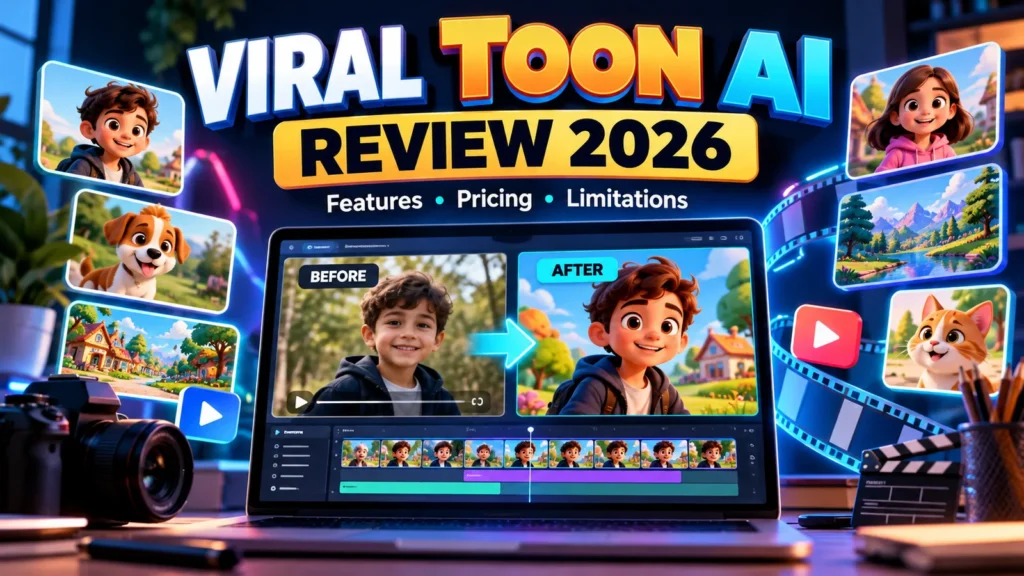
Viral Toon AI Review 2026: Cartoon-style Shorts are popular across social platforms, but producing them consistently can be difficult if you lack animation skills or a large editing budget. Viral Toon AI, a product promoted by Justin Opay, claims to make that process simpler by converting existing images and video clips into cartoon-style content.
Its sales materials promise a short workflow: provide media, choose a look, make any necessary edits and export something suitable for social platforms. That sounds convenient, but the decision to buy should depend on more than a “viral” promise. You need to know which formats actually work, what limits apply to the basic edition, which upgrades cost extra, and whether your commercial projects are permitted.
This Viral Toon AI review examines the advertised workflow, edition differences, possible costs and buyer questions using the seller’s public documentation. AIReviewDock has not purchased the software or performed a hands-on rendering test. Treat performance and ease-of-use claims as vendor descriptions, not independently measured results.
Affiliate disclosure: This article contains affiliate links. If you purchase through a qualifying link, AIReviewDock may earn a commission at no additional cost to you. That does not establish an endorsement or a guaranteed result.
Viral Toon AI Review: Quick Verdict
Worth investigating for: creators and small businesses who already have video clips, images or promotional material and want a simpler way to experiment with cartoon-style short videos.
Main reservation: the vendor markets a low-cost entry offer alongside several upgrades. Its sales copy makes broad claims about speed, engagement and commercial rights, but we have not independently confirmed output quality, account limits or the licensing terms that apply to a specific purchase.
Bottom line: ask what the basic plan actually includes, compare the total checkout price with your budget, and test a short sample before investing in a larger production workflow. Buying cartoon software does not guarantee traffic, views or revenue. For an alternative comic-story workflow, compare the offer and usage limits in our Comic Videos AI review.
What Is Viral Toon AI by Justin Opay?
Viral Toon AI is advertised as a cloud-based cartoon video creation tool that changes ordinary video clips or images into stylized short-form animations. The product launched in February 2026 under Justin Opay’s name. Its official product page describes a process built around uploading media, choosing a cartoon style and preparing the result for social platforms.
That makes it fundamentally different from a prompt-only content pack. The existing Viral Cartoon Video Creator AI draft on this website discusses a separate PLR prompt product; the two should not be treated as the same software or offer.
The vendor lists possible applications including educational clips, social media entertainment, short product demonstrations, faceless videos and lightweight client projects. Those are use cases, not verified results. Whether a particular clip looks professional will depend on the source material, rendering capabilities and available editing controls.
How Viral Toon AI Is Advertised to Work
Step 1: Upload an image or source clip
The seller says users can start from an existing image or video, including material associated with social platforms. That could appeal to creators who already own short clips and want to repurpose them visually.
Before uploading, confirm that you own the recording or have permission to process it. Finding a video on YouTube or TikTok does not automatically grant you permission to copy it or create a derivative commercial version.
Step 2: Choose a cartoon style
Promotional materials mention looks such as 2D, 3D, sketch and classic cartoon. In principle, style choices may allow creators to match a lighthearted explainer, a playful promotional clip or an illustrated storytelling format.
We could not verify the complete style library, the consistency of characters across scenes or the rendering quality for difficult input. A seller demo is useful for understanding the intended workflow but does not represent an independent benchmark.
Step 3: Adjust and export the result
The advertised workflow includes further customization with text, music, effects and voiceovers, followed by export for YouTube Shorts, Reels and TikTok. Check the finished resolution, video length, aspect-ratio options and export restrictions in your purchased edition.
Some features that appear on an overall product page may be subject to a paid upgrade or a monthly generation allowance. Ask the seller to identify exactly which capabilities belong to the front-end purchase.
Key Features: What the Seller Claims—and What Needs Testing
Cartoon transformation and multiple visual styles
The central promise is an easier route to cartoonized short-form clips without learning a full animation package. That could save time on simple projects if the renderer handles your footage well. Complex motion, crowded scenes or poor source images may create artifacts, however, and we have not measured the software’s performance.
Social video formatting
The seller promotes content for Instagram, TikTok, Facebook and YouTube. Creators should confirm whether platform sizing is automatic, whether the software preserves important text near screen edges, and whether it exports files that meet each destination’s current requirements.
Editing, captions and audio
Sales descriptions mention customizing videos with text overlays, music and voiceovers. That does not by itself prove that every feature is unlimited or bundled in the lowest-priced edition. A real workflow should test subtitle accuracy, commercial rights to music, the quality of audio output and how easy it is to revise a finished clip.
Commercial projects and clients
The front-end sales page advertises an included commercial license, while a Pro upgrade page separately advertises commercial rights for Pro features. Those statements are not necessarily contradictory—different features may have different scopes—but the full written license needs to specify permitted client work, redistribution and any restrictions.
Pro capabilities and usage quotas
The vendor’s Pro upgrade page advertises specific monthly allowances, including quantities for generated media, bulk operations and upscale jobs, plus video lengths up to ten minutes. These are Pro promotional specifications, not verified limits for the basic edition, and they demonstrate why an “unlimited” marketing headline should not replace a written plan comparison.
Viral Toon AI Pricing in 2026: Why the Numbers Differ
Price deserves special attention. At the time of this review, the seller’s main sales page displayed a promotional $11.97 one-time price, while the seller’s affiliate/JV materials listed the front-end offer at $17. Different promotional pages or launch arrangements may explain the difference, but we cannot verify which amount your account will see at checkout.
Neither figure should be presented as a guaranteed live price. Confirm the final amount and currency on the payment page before ordering, including taxes and any optional extras.
Advertised optional upgrades
The seller’s JV materials list a multi-step funnel with add-ons such as Pro, Done-for-You (DFY), ChatGPT, Agency and reseller editions. The JV price map lists $37 for Pro, $47 for DFY, $47 for ChatGPT, $67 for Agency and additional reseller offers; these are seller-advertised figures rather than current confirmed checkout prices.
An upgrade is not automatically required for every buyer. The relevant question is whether the initial purchase has enough processing capacity, export options, video length and commercial rights for your intended work.
What should you verify about refunds?
The seller promotes a 30-day refund guarantee on upgrade pages, sometimes with launch-specific wording. Before purchase, read the terms for the exact edition you intend to buy, including deadlines, exclusions, cancellation steps and the support contact. We have not tested the refund process.
Viral Toon AI vs Traditional Video Editing
Different cartoon content option: The Viral Cartoon Video Creator review examines the advertised PLR prompt pack, which is not the same thing as an end-to-end cartoon animation tool.
A regular video editor gives creators precise control over cuts, transitions, timing, audio and design. A cartoon-transformation tool promises to automate part of the visual styling. The two approaches are not identical.
| Question | Viral Toon AI (advertised) | Conventional editor |
|---|---|---|
| Main role | Cartoonize existing visual media | Edit and assemble general video projects |
| Creative control | Depends on presets and edition | Usually more manual timeline control |
| Learning curve | Marketed as beginner-friendly | Varies greatly by software |
| Video consistency | Needs independent rendering tests | More direct manual oversight |
| Cost | Entry offer plus optional upgrades | Free, one-time or subscription options |
If your goal is to create a full original animated film, a cartoon filter may not replace a professional animation workflow. If you want simple, stylized versions of existing clips, it might be a practical experiment.
Viral Toon AI Pros and Cons
Potential advantages
- Clear concept: Turning existing clips or images into cartoon-style Shorts is an understandable workflow.
- Faceless content: The approach may fit creators who prefer not to appear on camera.
- Social-media use cases: Short demonstrations, playful explainers and audience-friendly clips are plausible applications.
- Simple starting material: Using existing authorized media can be easier than planning original animation frame by frame.
- Entry-level offer: A low promotional front-end price may make limited testing accessible, subject to checkout terms.
Important limitations
- No independent hands-on testing: We have not measured render quality, speed, uptime or support.
- Multiple editions: Pro usage caps and separate upgrades make it important to examine the basic plan carefully.
- Price discrepancies: Public vendor pages display different promotional front-end prices.
- Rights are conditional: A commercial license for software output does not clear third-party source clips, people or copyrighted music.
- No virality guarantee: Catchy visuals cannot promise views, conversions or income.
Who Should Consider Viral Toon AI?
Creators with a backlog of their own source clips might find a cartoon conversion tool useful for testing new visual styles. Educators could experiment with short illustrated explanations, while small businesses might test playful promotional versions of their own product demonstrations.
It is less suitable for anyone who expects a fully autonomous YouTube channel, wants exclusive rights to other people’s footage, or needs professional animation-quality control without reviewing outputs. Agencies should confirm the commercial license in writing before promising clients unrestricted usage.
If you are still organizing your production process, our AI video storyboard template helps plan short scenes. For a separate text-to-video workflow, see our guide to turning blog posts into videos.
Seven Essential Checks Before You Buy
- Confirm the seller: Make sure the offer identifies Viral Toon AI from Justin Opay’s February 2026 launch, not an unrelated cartoon product.
- Verify the front-end edition: Ask how many videos you can generate, their maximum length, watermark policy, quality and resolution.
- Compare upgrade features: Check what Pro, DFY, Agency and other editions add before purchasing them.
- Check rights to input and output: Read the commercial license and make sure you can legally process any source clips, images, voices and music.
- Inspect the final checkout: Confirm the actual price, recurring obligations (if any), taxes and optional add-ons.
- Understand refunds and support: Save the written terms that apply to your exact purchase.
- Plan a realistic test: Use one short authorized clip, inspect artifacts, export the result and decide whether the product meets your quality expectations.
Frequently Asked Questions
Is Viral Toon AI the same as Viral Cartoon Video Creator AI?
No. This article examines the Justin Opay software offer from February 2026. Viral Cartoon Video Creator AI is a separate 324-prompt PLR product. They should not share pricing, feature descriptions or affiliate links.
Can Viral Toon AI make cartoons from YouTube videos?
The seller advertises support for source videos, images and links. That is not a license to repurpose someone else’s copyrighted material. Confirm both supported inputs and your legal rights to the footage before uploading it.
Does the basic version include commercial rights?
The front-end page advertises a commercial license, while Pro marketing references rights for upgraded features. Request the complete written license for your purchased edition, especially if you plan to sell videos to clients.
Is Viral Toon AI really a one-time purchase?
The main sales page promotes a one-time front-end price. However, the product also has optional upgrades and public price variations. Confirm all charges at checkout rather than relying on a marketing headline.
Will it make my videos go viral?
No reliable tool can guarantee that outcome. Audience interest, quality, originality, consistency, competition and platform distribution all influence results.
Have you tested Viral Toon AI personally?
No. AIReviewDock has researched public seller materials and edition information but has not purchased or rendered videos with the product. This is a buyer’s assessment, not a firsthand benchmark.
Final Verdict: Is Viral Toon AI Worth Considering?
Viral Toon AI presents an understandable idea: simplify cartoon-style short videos by transforming media a creator already has. That could be useful for experimentation, especially for people who want social clips but are not ready to learn traditional animation.
Its main weakness as a buying proposition is the uncertainty between broad sales claims and edition-specific limits. The seller promotes low one-time pricing, commercial use and simple exports while also advertising paid feature upgrades. Those differences matter far more than a promise of automatic engagement or profits.
Our verdict: consider the front-end offer only if its confirmed generation limits, export quality and license fit a specific project. Check the final checkout and refund rules, and do not commit to upgrades before trying the basic workflow. Without independent software testing, we would not assign a performance score or promise a return on investment.
For an alternative software-review perspective on video content tools, you can also explore our Blog2Vid review.